57 | P a g e
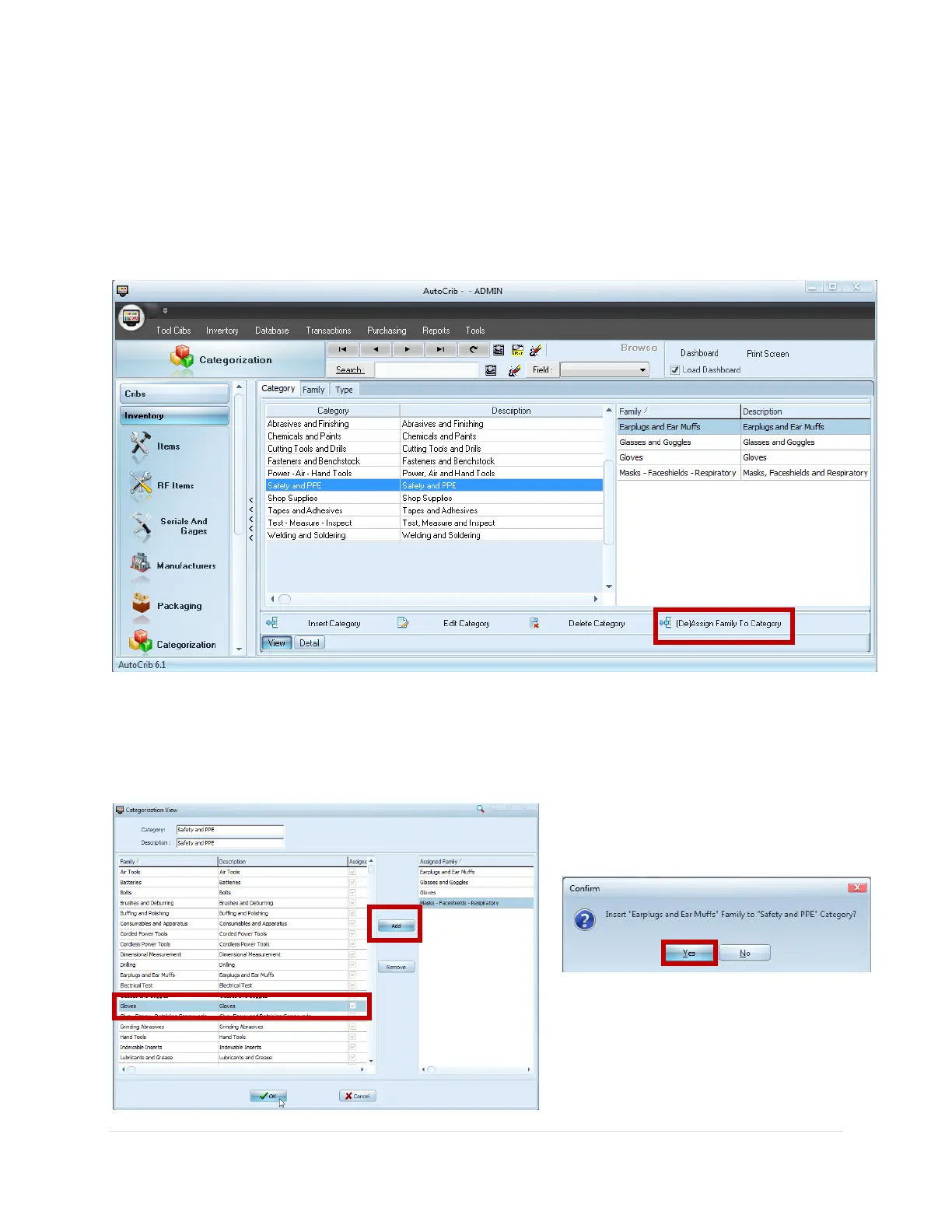
Associating a Family to a Category
Within the Category tab, you can further classify item groups by associating families to each
Category
1. Highlight the Category in the View tab
2. Click the [De]Assign Family To Category button
3. In the ‘Categorization View’ box, select the desired Family from the list, then click the
Add button
4. Repeat step 3 to associate additional families and click Ok when complete
5. Click Yes from the confirmation box(s)



 To Next Page