53 | P a g e
Note: The AutoCrib database is pre-populated with some of the most common categories,
families, types, their associations and images. All you need to do is associate the items to the
types following the steps below:
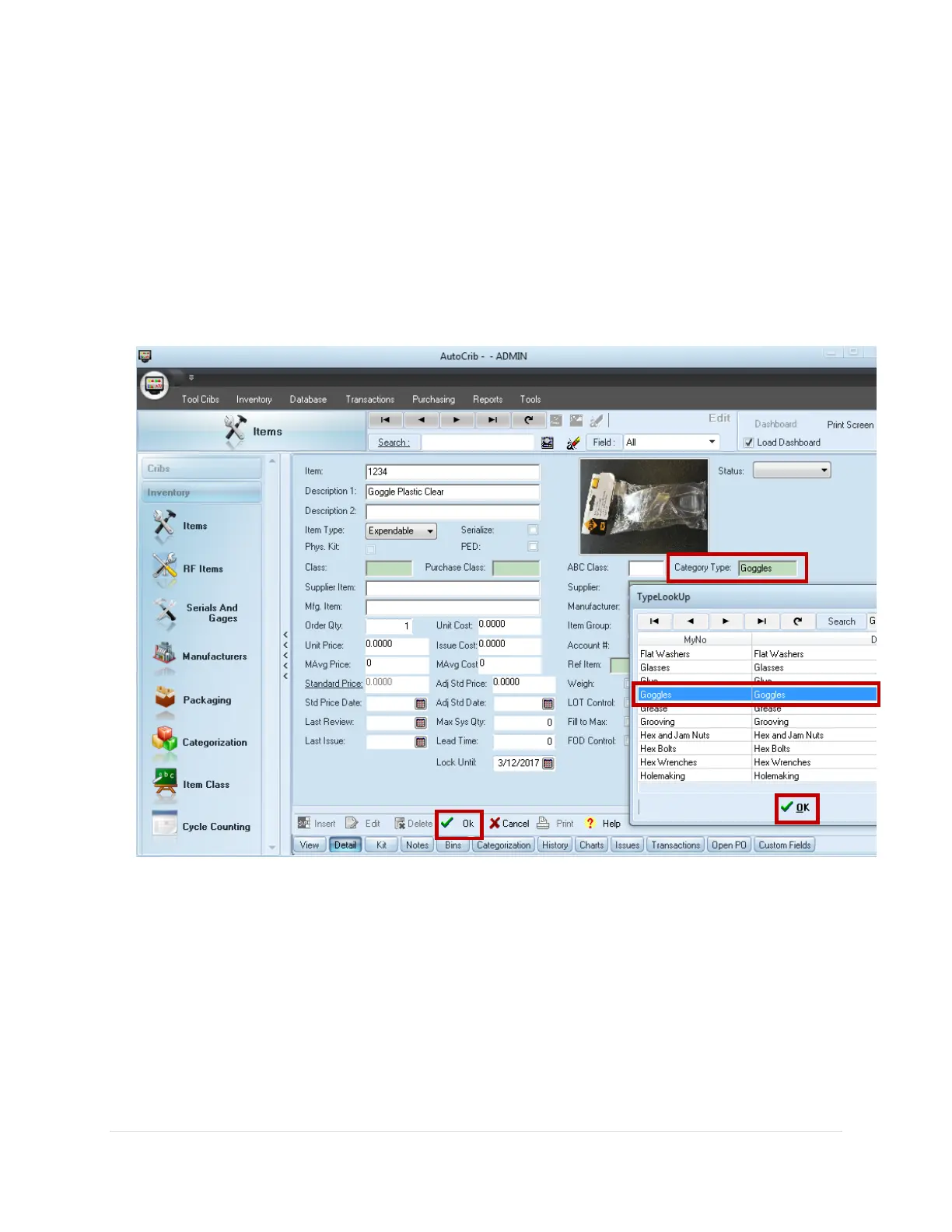
1. From the AutoCrib software navigate to Inventory > Items
2. Click the Edit button, then double click the Category Type field
3. Select the Type you wish to associate with your item from the TypeLookUp Box and
click Ok
4. Click the Ok button located at the bottom of the Item screen to save your changes



 To Next Page