44 | P a g e
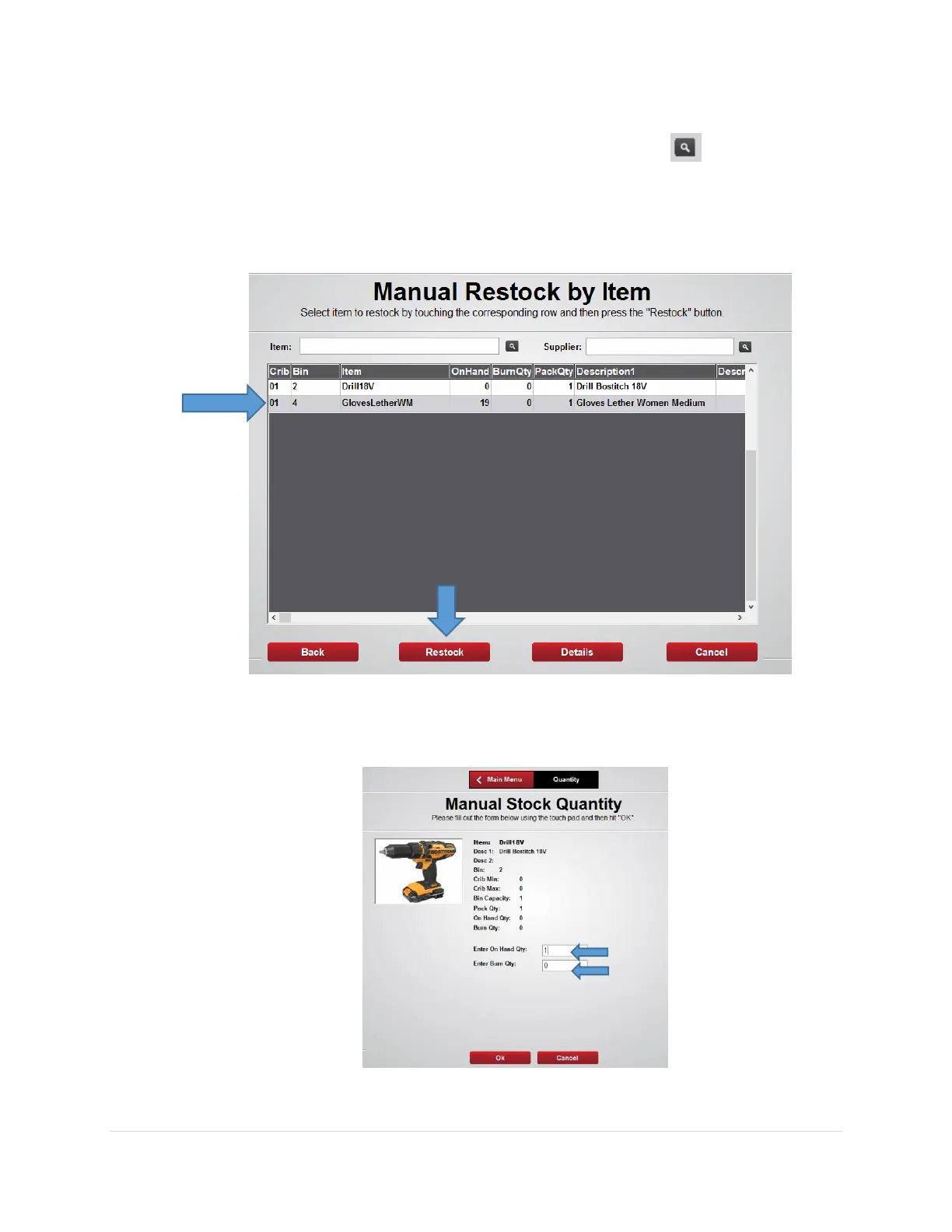
5. From the Manual Restock by Item screen search for the item using the item code,
description, class, or custom fields then press the search button
Note: the software will find the closest match and will list those on the screen
6. Select the item to restock, then Select the Restock button
7. From the Manual Restock Quantity screen enter the On Hand or Burn Qty to
stock, then select the Ok button
8. The appropriate locker bin door will open, stock the item then close the door



 To Next Page