EasyManua.ls Logo

Automatic Technology Megacode Tricode 128 - User Manual

Automatic Technology Megacode Tricode 128
20 pages
Print Icon
To Next Page IconTo Next Page
Loading...
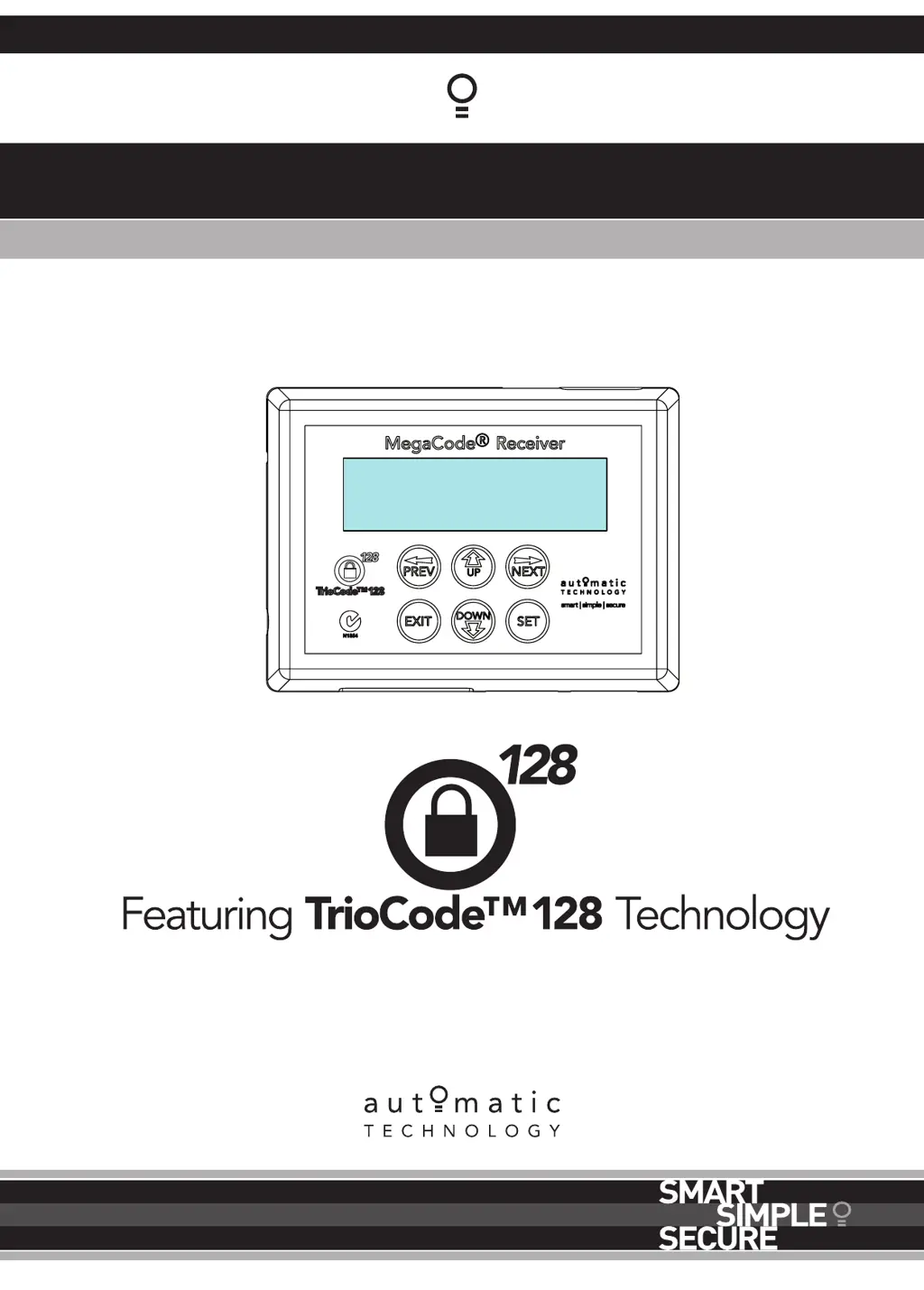
Megacode
®
Receiver
Multi-Frequency Four Channel Receiver
10:05:12 STD MON
OFF OFF OFF OFF
Doc # 160046_01
Part # 13367
Released 14/12/17

Questions and Answers

Summary

1. Features

Multiple Modes of Control

Describes how receiver outputs are controlled by various inputs.

TrioCode 128 Technology

Explains advanced security and compatibility features of transmitters.

Programmable Time Clock

Details the timer function for overriding transmitter and input control.

Integrated Console

Describes the built-in user interface for operation and settings.

Security Code Storage

Mentions storing up to 511 transmitter security codes with ID labels.

Transmitter Management Flexibility

Discusses features for managing multiple transmitters like listing and editing.

Status Indication Display

Explains how receiver outputs and last events are shown on screen.

Password Protection Feature

Covers securing operating parameters and transmitter storage with a password.

Vacation Mode

Describes a mode to lock/unlock all programmed transmitters.

2. Operating Controls

Power Supply and Antenna

Identifies power input terminals and antenna connector.

Relay Outputs (1-4)

Describes normally open contacts for four solid-state relay outputs.

Trigger Inputs (1-4)

Explains inputs that can control outputs independently.

Disable Inputs (1-4)

Details inputs used to disable specific outputs.

Programming Input

Explains the connection for the handheld programmer.

3. Installation

Receiver Power Supply

Details the 12-24V AC/DC power requirements for the receiver.

Wiring Output Terminals

Describes the connection of the solid-state relay outputs.

Wiring Inputs and Powering Up

Explains connecting inputs and applying power to the receiver.

4. Coding Transmitters

Coding a Transmitter Button

Step-by-step guide to coding a transmitter button to the receiver.

Selecting Button Functions

Assigns functions like Pulse, Set, or Vacation to transmitter buttons.

Returning to Main Screen

Exits the coding menu to the main display.

5. Remotely Coding Transmitters

Selecting Function for Remote Coding

Chooses a function from an existing transmitter for remote coding.

Activate Remote Code Set Mode

Procedure to enable remote coding using a pre-coded transmitter.

Removing Transmitter Battery

Instructions on how to remove and test the transmitter battery.

6. Time Clock

Time Clock Operation

Explains the 7-day clock and how programs control outputs.

Time Clock Settings

Details how to set the current time, date, and program schedules.

Removing Time Clock Battery

Instructions for replacing the CR1220 battery for the time clock.

7. Specifications

Technical Specifications Overview

Lists technical details such as power supply, outputs, and capacity.

8. Troubleshooting

Opener Not Operating

Addresses common issues when the opener does not function.

LCD Display Issues

Troubleshoots problems related to the liquid crystal display.

Transmitter Operation Problems

Covers issues with transmitters not working correctly.

Program Activation Failures

Addresses problems where programmed functions fail to activate.

9. Appendix A - Receiver Menu Structure

Menu 1: Code Transmitter

Details parameters related to storing and managing transmitters.

Menu 2: Output One Setup

Lists configurable parameters for Output One.

Menu 3: Output Two Setup

Lists configurable parameters for Output Two.

Menu 4: Output Three Setup

Lists configurable parameters for Output Three.

Menu 5: Output Four Setup

Lists configurable parameters for Output Four.

Menu 6: Operating Modes

Details parameters for various operating modes and defaults.

Menu 7: Time Clock Settings

Lists parameters for configuring the time clock and schedules.

Menu 8: Diagnostics

Lists parameters for accessing diagnostic tools.

Menu 9: Memory Tools

Lists parameters for memory management functions.

Appendix B - Viewing and Editing Parameters

Locating Parameters in Menu

Guide to finding specific parameters within the receiver menu structure.

Changing Parameter Settings

Instructions on how to modify parameter values using console buttons.

Reloading Default Settings

Procedure to restore factory default values for parameters.

Exiting Parameter Editing

Steps to exit editing modes and return to the main screen.

Appendix C - Diagnostic Tools

Test Inputs Functionality

Tool to view the status of control inputs.

Test Transmitters (Txers)

Tool to verify transmitter reception and functionality.

Display Event History

Tool to review the last 64 recorded events.

Memory Usage Check

Tool to display used and free transmitter storage locations.

Console Button Test

Tool to test the functionality of console buttons and the beeper.

Appendix D - Memory Tools

Clear Control Memory

Resets receiver memory and reloads factory default parameters.

Clear Transmitter Memory

Erases all stored transmitter codes from the receiver.

Appendix E - Transmitter Editing

Accessing Transmitter Edit Menu

Steps to navigate to the menu for editing stored transmitters.

Editing Button Function Assignments

Modifying the functions assigned to transmitter buttons.

Editing Transmitter Store Location

Changing the assigned memory slot for a transmitter.

Selecting ID;Serial Number Display

Choosing whether to display ID or Serial Number for transmitters.

Editing Character Fields

Instructions for editing text fields like transmitter ID names.

Appendix F - Transmitter Management

Method 1: List Access from Menu

Accessing the transmitter list via the main menu structure.

Method 2: Direct List Access

Quick navigation to the transmitter list using a transmitter button.

Navigating the Transmitter List

Moving through the list of stored transmitters.

Selecting Transmitter Operations

Choosing actions like coding, deleting, editing, or copying transmitters.

10. Warranty and Exclusion of Liability

Warranty Claim Procedure

Steps to follow when making a claim under the product warranty.

Warranty Conditions and Terms

Details the conditions required for the warranty to remain valid.

Warranty Exclusions

Lists circumstances and actions that void the product warranty.

Other Warranty Conditions

Covers non-transferability and other general warranty terms.

Australian Consumer Law Rights

Explains statutory guarantees and consumer rights in Australia.

Automatic Technology Megacode Tricode 128 Specifications

General IconGeneral
BrandAutomatic Technology
ModelMegacode Tricode 128
CategoryReceiver
LanguageEnglish

Related product manuals