Owner Installation Instructions NeoSlider™ - Sliding Gate Opener NES-24V1 17
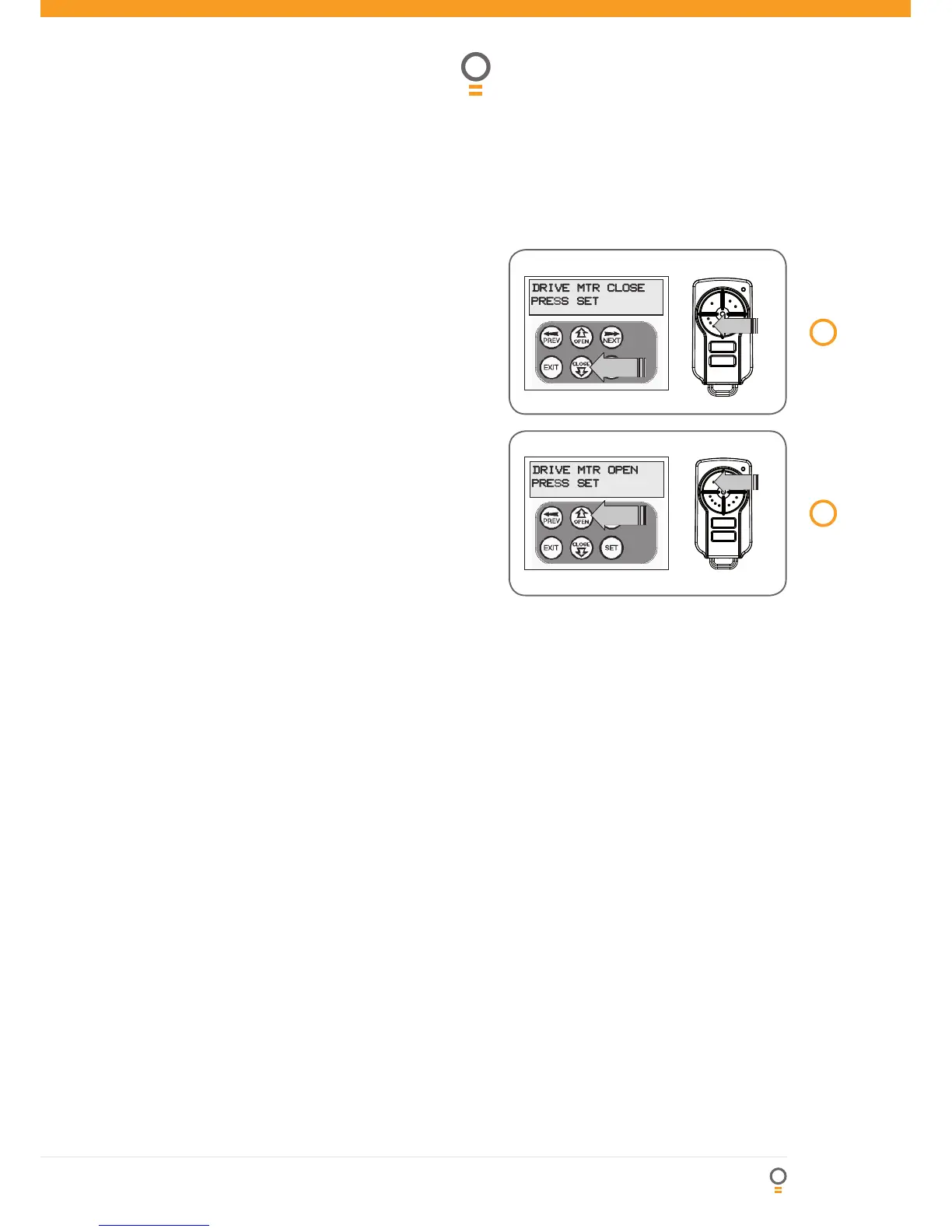
Step 3. Setting close travel limit
1. Press and hold the CLOSE button (or press button 4
on the transmitter) until the gate reaches the close
position, i.e. when the rail-mounted actuator pushes
the microswitch to the close position (Fig. 12).
2. Press SET to record the CLOSE LIMIT (or press
button 2 on transmitter).
NOTE: Limit will not be accepted unless the gate is
driven in the close direction.
Step 4. Setting open travel limit
1. Press and hold the OPEN button (or press button 1
on the transmitter) until the gate reaches the open
position, i.e. when the rail-mounted actuator pushes
the microswitch to the open position (Fig. 13).
2. Press SET to record the OPEN LIMIT (or press button 2
on Transmitter).
NOTE: Limit will not be accepted unless the gate is
driven in the open direction.
Automatic limit adjustment and load profi le
After a brief pause, the controller will automatically
close and open the gate several times. This adjusts the
speed at which the limits are approached and helps
to learn the normal load profi le of the gate. When the
setup is complete, the MAIN SCREEN will be displayed
with the gate shown to be OPEN. The Gate can now
be used.
NOTE: Do not press transmitter during limit adjustment
process.
Pedestrian access position
After completing the above procedure, the Pedestrian
access position is automatically set to a position which
is fi ve (5) seconds from the fully closed position of the
gate. The position can be manually set by following the
SETTING PEDESTRIAN POSITION procedure.
Errors during setting of travel limit
During the above procedure, many error checks are
preformed. If an error is detected, a message will be
displayed indicating the error.
12
fi g



 To Next Page