AUX DC Inverter Free Match 50HZ R32
111
3. Room Card Function
3.1 Function setting
Operation model specification
The IDU Will be into standby mode, can be
controlled by controller
The IDU Will be into standby mode, can't be
controlled by controller
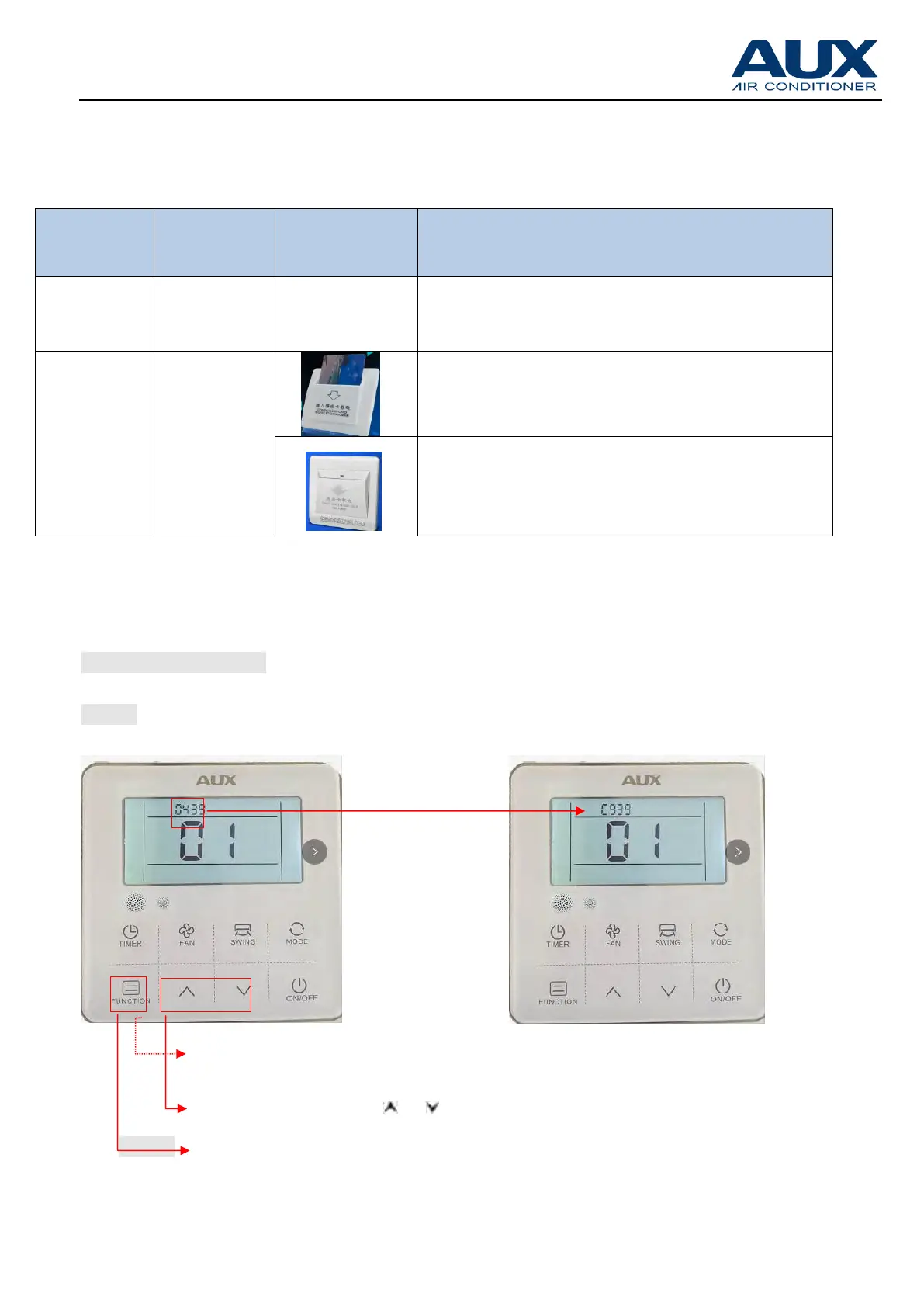
※ How to set the room card function ( Set method same as the above【Part 9 →2.2Parameter
Setting by YK-L or 2.3 Parameter Setting by XK-04/XK-05 】
For example ( XK-05)
Step 1
Step 2
① Press “FUNCTION” for 5S,enter parmater check
② Press the“ ”or“ ”button to get “09 39”
③ Press “FUNCTION” for 5S again, enter parmater setting
model;



 To Next Page
 Loading...