Avant 755i 760i Controls and options of the Loader
55
3. Telescopic boom control lever
The telescopic boom makes many tasks easier, also
those that do not involve lifting. You can, for
example, push material further with a bucket, reach
into difficult areas, and improve visibility to the work
area with some attachments.
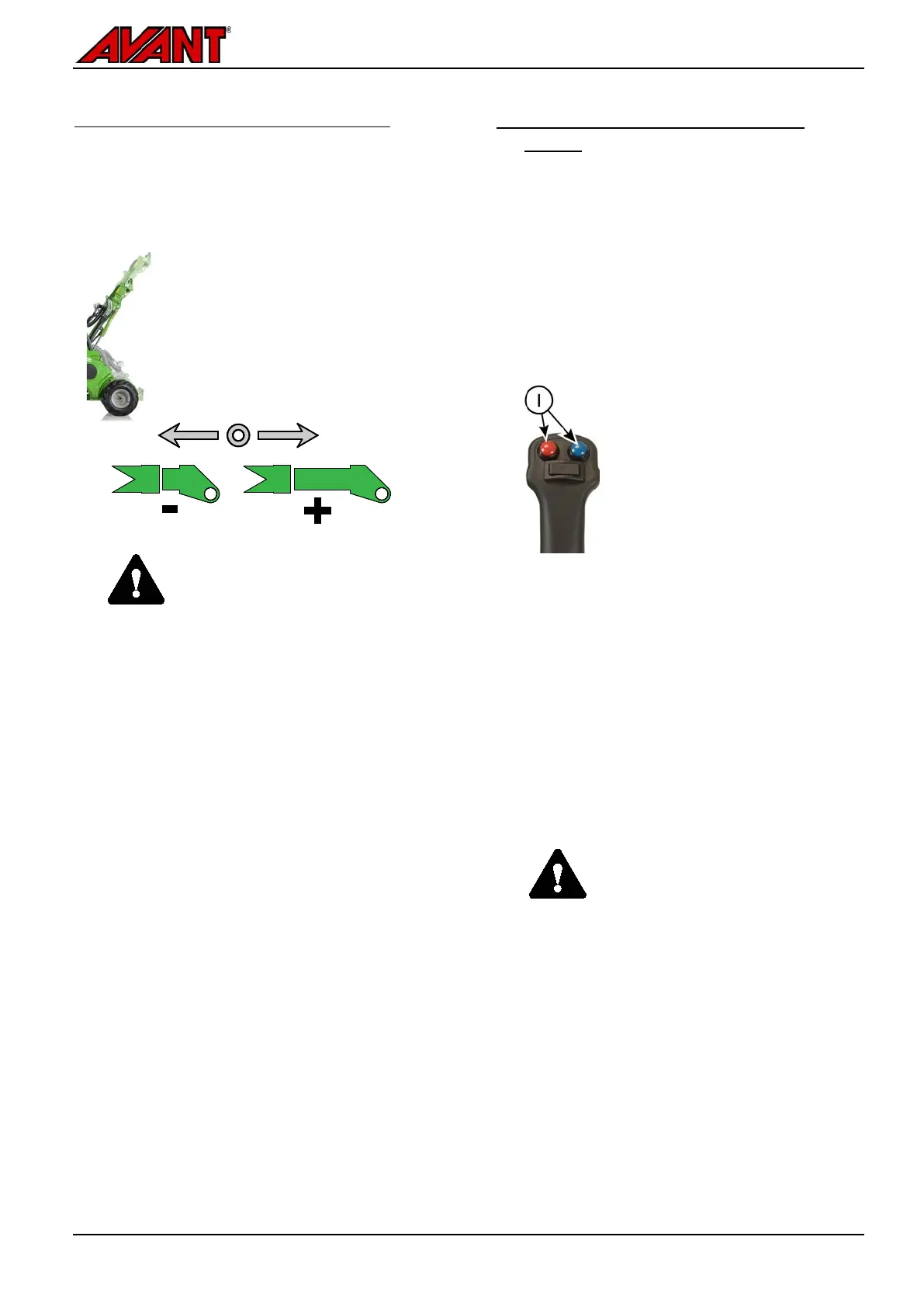
Turn the control lever of the
telescopic boom to the right to
extend the boom, and turn to the left
to retract it.
Length of the telescope is 700 mm
and additional li
410 mm.
WARNING
Risk of tipping over -
b
oom can cause the loader to tip
over. Use telescopic boom with
caution.
The stability of the loader
depends on the distance of the
load from the front of the loader.
When you extend
the boom, you
increase the effect of the weight
and reduce safe handling c
See pages 40 and 87
for further
instructions about tipping load and
safe material handling.
.
4. Joystick - 8 function (optional
extra)
The loader can be equipped, as an option, with an 8-
function joystick. You can use either manual control
lever or the electric pushbuttons to control the
auxiliary hydraulics and the telescopic boom.
1. Electric control of auxiliary hydraulics
If the loader is equipped with the optional 8 function
joystick, the auxiliary hydraulics can be controlled
with electric buttons on the joystick:
Push and hold ei
ther button to
control the direction of auxiliary
hydraulics flow.
The operat
ion of the buttons
depends on the attachment,
see the Operator’s Manual of
each attachment.
Release buttons to stop.
Make sure the manual control
lever is not locked when
operating electric joystick.
When using the electric switches, the manual
control lever will also move. Either way can be
used to control the attachment as needed.
Keep the hydraulic pump setting at 1-pump
setting, unless higher hydraulic flow to the
attachment is required. Lower flow of hydraulic
oil will help to control the attachment more
accurately.
CAUTION
Avoid abrupt movements of an
attachment -
buttons with caution.
When you
use certain attachments with the
electric joystick buttons, the
attachments can move abruptly.
This can cause falling of material
from the at
tachment, loss of
stability, or damage to attachment.
Use the manual control lever for
work or attachments requiring
smooth movements.


 To Next Page