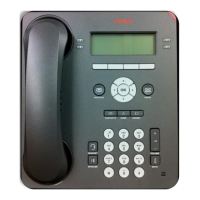
Avaya 9608/9608G/9611G IP
Deskphones H.323 Quick
Reference
Release 6.6
April 2015
Menu options
The following image shows the menu options that are
available to you to view the current settings and configure
the required parameters on the Avaya 9608 and 9611 IP
deskphones.
Options
&
Settings
Browser
Network
Information
VPN
Settings
Logout
About
Avaya IP
Deskphone
Call
Settings
Application
Settings
Screen &
Sound
Options
Advanced
Options
Automatic
Gain
Control
Headset
Equalization
Brightness
Personalized
Ringing
Button
Clicks
Error
Tones
Phone
Screen
Width
History
Log
Bridged
Calls
Personalized
Button
Labels
Restore
Default
Labels
Go to Phone
Screen On
Calling
Go To Phone
Screen On
Ringing
Go To Phone
Screen On
Answer
Display
Call Timer
Redial
Visual
Alerting
Audio
Path
Pair Contacts
To Calls
Home
Page
Note:
Some of the options may not be displayed on your
deskphone if your administrator has not configured the
option for your extension.
Answering and making a call
Answering a call
Answer an incoming call in one of the following ways:
• If you are not on another call, lift the handset, or
press Speaker, OK, or Answer to answer the call
using the speakerphone, or press Headset to
answer using the headset.
• If you are on another call, and the phone displays
the incoming call, from the Phone screen scroll to
the line with the incoming call and press Answer or
OK. If you are on another call, you can also press
Ans Hold to automatically put the first call on hold
when you answer the new call. Also, you can press
Ans Drop to automatically drop the first call when
you answer the new call.
• To quickly move to the top of your call appearance
list to answer an incoming call on your primary line,
from the Phone screen press the Phone button.
You can then press the line for the incoming call or
scroll to it.
• To automatically display the Phone screen when
you receive an incoming call, set the Phone
Screen on Ringing option to Yes.
Making a call
1. Lift the handset, or press Speaker or Headset (if
applicable) or a line button for an available line.
2. Dial the number you want to call.
Making a call using edit dialing
1. From the Phone screen, enter the number you want
to call.
2. To edit the number, press Bksp to erase the previous
character, one character at a time. To remove the
entire number, press Clear.
3. Press Call or OK.
Putting a call on hold
1. Press Phone to view the main Phone screen, if
necessary.
2. If you are not active on the line you want to put on
hold, select that line.
3. Press Hold.
Note:
The phone might display a hold timer when you
put a call on hold.
4. Press Resume or the line button of the held call to
retrieve the call.
Transferring a call
1. From the Phone screen, if the call to be transferred is
already not highlighted, press and select the call
appearance on which the call appears.
2. Press Transfer.
3. Dial the number if you know the number or call the
person from the contacts list or from the history list.
4. If your administrator configured unattended transfers
for your deskphone, you can hang up without
announcing the call.
Using the conference feature
Setting up a conference call
1. From the Phone screen, select your active call.
2. Press Conf.
3. Dial the telephone number, or call the person from the
contacts list, or the History list.
4. Press Join when the person answers the call.
5. To add another person, press Add and repeat Steps 3
to 4.
Note:
If you have initiated the conference call and drop
out, the conference is terminated.
Adding a person on hold to a
conference call
1. From the Phone screen, select your active call.
2. Press Conf, or press Add if you are already in a
conference.
3. Select the call on hold that you want to add to the
conference.
4. Press Resume to take the call off hold.
5. Press Join to add the person to the conference call.
Dropping a person from a conference
call
1. From the Phone screen, select your active call.
2. Press Details.
3. Select the person you want to drop.
4. Press Drop.
Contacts
Searching for a contact
1. Press Contacts.
1

 Need help?

 To Next Page
 General