Installation - Page 25
DECT - Installation Manual Page 25
38HBKD0001SAH – Issue 14 (27th October 2003) Registering Handsets
Registering Handsets
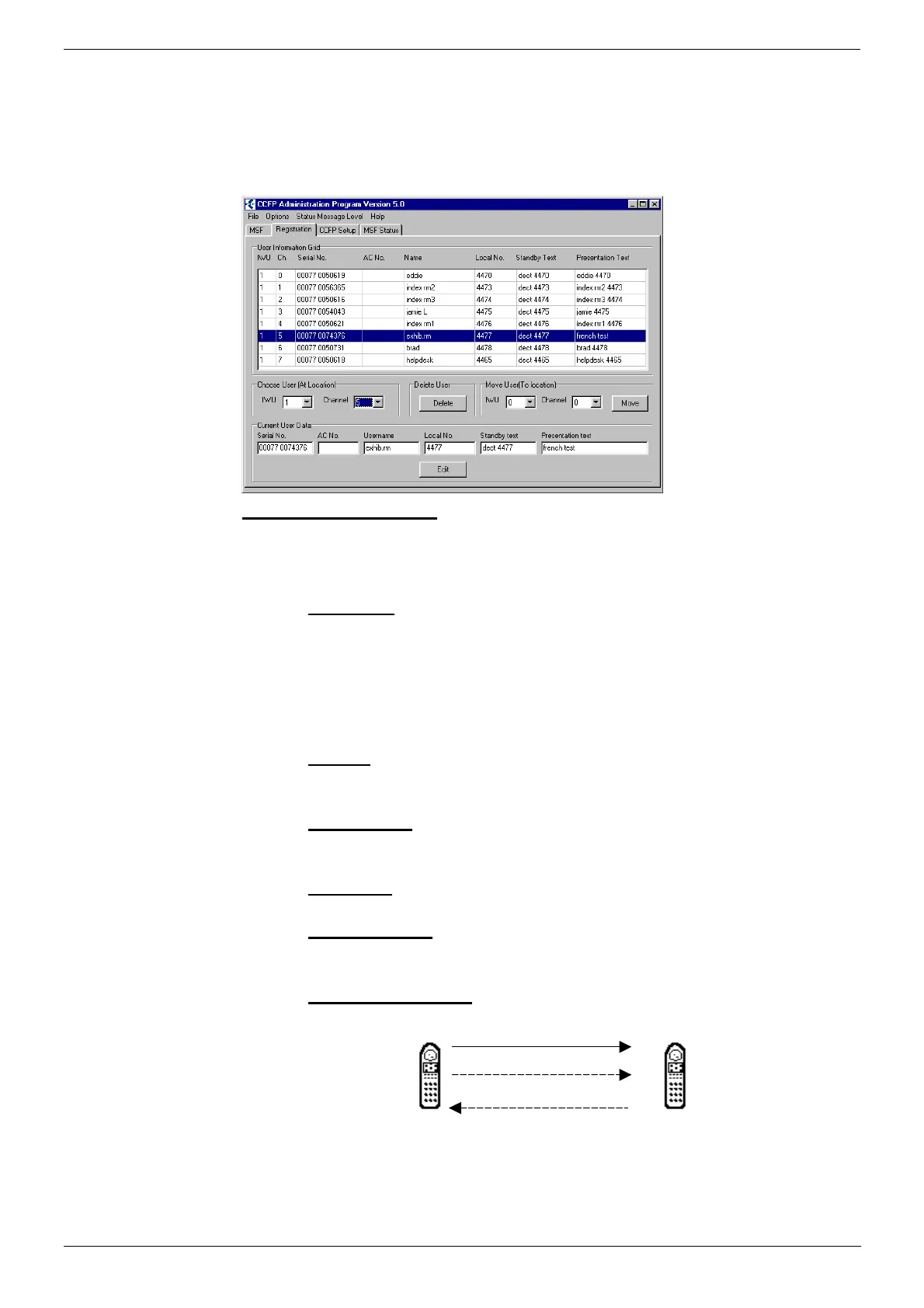
The Registration page of CCFP Administration Program (see page 30 for
installation) displays all the settings for handsets. The top section of the
screen shows all the available channels and the handset settings. The
lower part of the screen shows the settings for an individual channel. This
menu also provides options to Delete or Move users.
Editing User Settings:
1. In the Choose User (At Location) section select the IWU and
Channel.
2. In the Current User Data section select:
– Serial No.:
The handset serial number. This is found on a label covered by
the handset battery. It consists of a 5 digit handset type and then a
7 digit handset number separated by a space.
– For other GAP compatible DECT handsets it is possible to
discover the serial number (see Subscribing Non-INDeX Handsets
on page 28).
– AC No.:
An option account code of up to 7 digits. If set then the account
code is entered by the handset as part of the subscription process.
– User Name*
:
Up to 10 characters. Shown on the DECT handset called by the
user.
– Local No.
:
The handsets extension number on the attached PBX.
– Standby Text*:
Up to 10 characters. Shown when idle but in range of a base
station.
– Presentation Text*:
Up to 10 characters. Shown on the DECT handset calling the user.
A B
'A' calls 'B'
B's Presentation Tex
A's User Name
*INDeX PBX: Though overridden by DECT Integration, it is still
sensible to set these options.



 To Next Page