Page 36 - CCFP Options Menus
Page 36 DECT - Installation Manual
Introduction 38HBKD0001SAH – Issue 14 (27th October 2003)
CCFP Options Menus
Introduction
Options has three available choices-
• Preferences.
• Phonebook.
• Debug.
Phonebook
This option is used for editing the Phonebook in the External Services.
To add a new entry, press the new Entry button or choose the empty line
at the bottom of the list. When all the information has been compiled,
press the Add Entry button. To alter an existing entry, choose the entry in
the list, make any relevant changes and press the Edit entry button.
Press delete to remove highlighted entry.
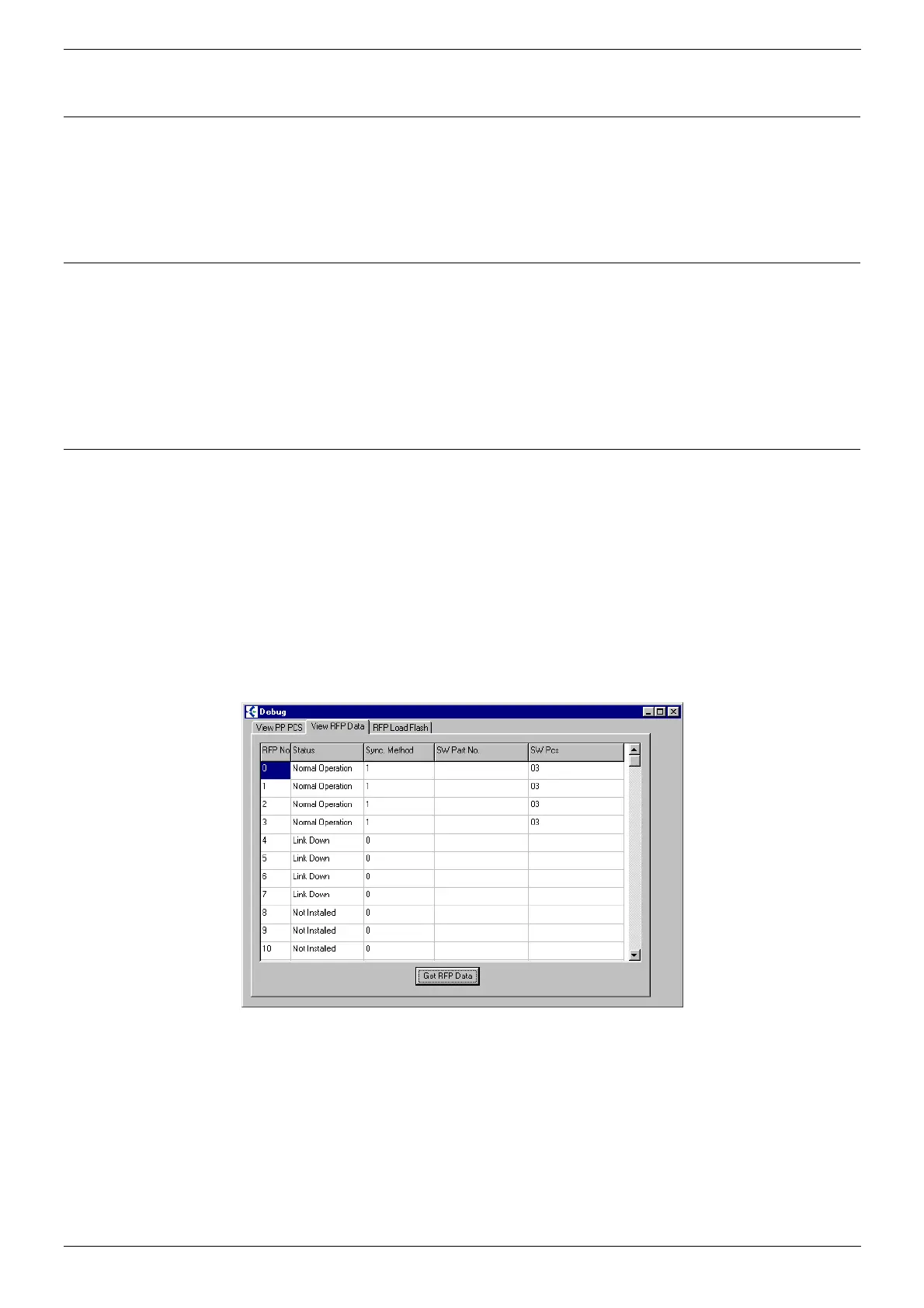
Debug
The Debug Screen offers-
• View DECT Handset PCS tab.
• The PCS of all the connected DECT Handsets.
• View Base Station PCS tab.
• The Base Stations connected to the system.
Note:
PCS 2 and PCS 3 Base Stations cannot be connected together on the
same DCU.
RFP Load Flash tab should be avoided until further notice from Avaya.
It can be seen that there are four operational Base Stations at software
PCS3 and four Base Stations are currently down.



 To Next Page