9
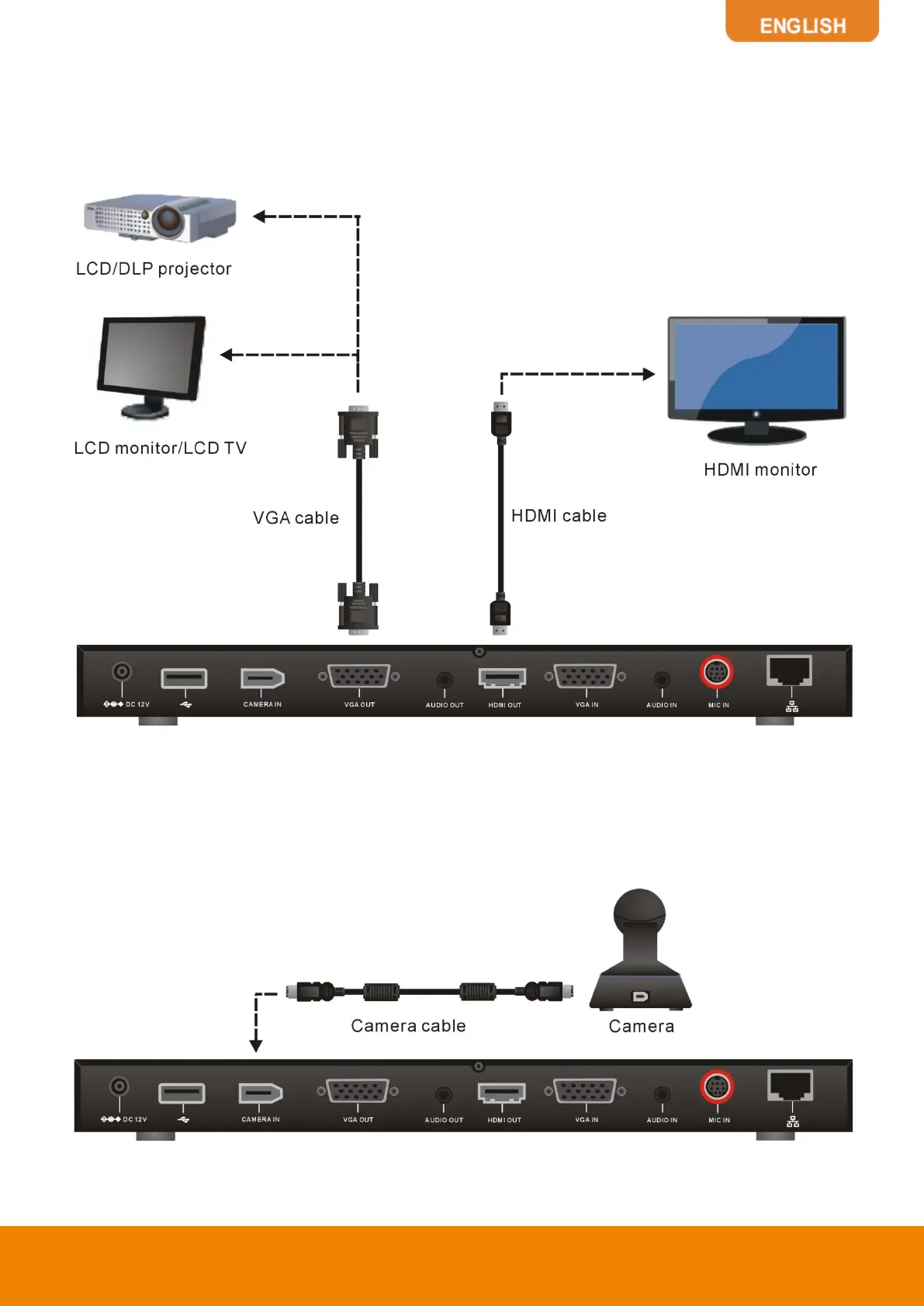
CONNECTING MONITORS (VGA OUT/HDMI OUT)
Locate the VGA/HDMI input port of the graphics display device and connect it to VGA OUT/HDMI
OUT port of the AVer EVC with the supplied VGA/HDMI cable. You can configure the VGA OUT and
HDMI OUT ports at the same time upon a dual screen configuration.
CONNECTING THE CAMERA (CAMERA IN)
Locate the port on the back of the camera and connect it to the CAMERA IN port of the EVC with the
supplied camera cable.


 To Next Page