30
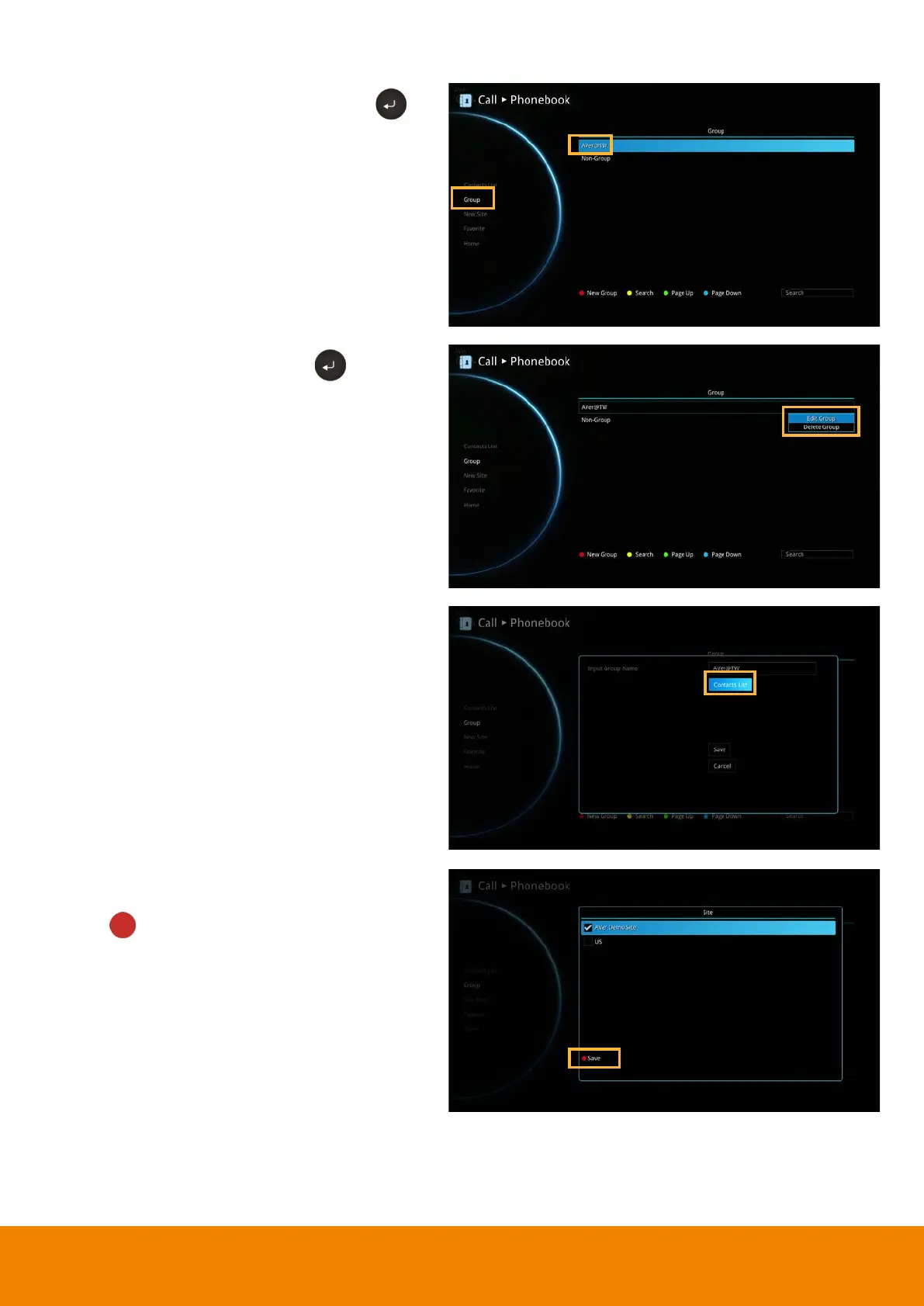
Add Contact from Group List
Select
Phonebook
Group
and press .
Select the Group name you want to add to
Contacts List.
Select
“Edit Group”
and press .
Confirm the Group Name what your want to
add to the contracts list and then select
“Contacts List”
.
In the Group Site list, select the item that you
want to add to the contracts list and then press
“Red”
button on the remote controller to
save the selection.


 To Next Page