55
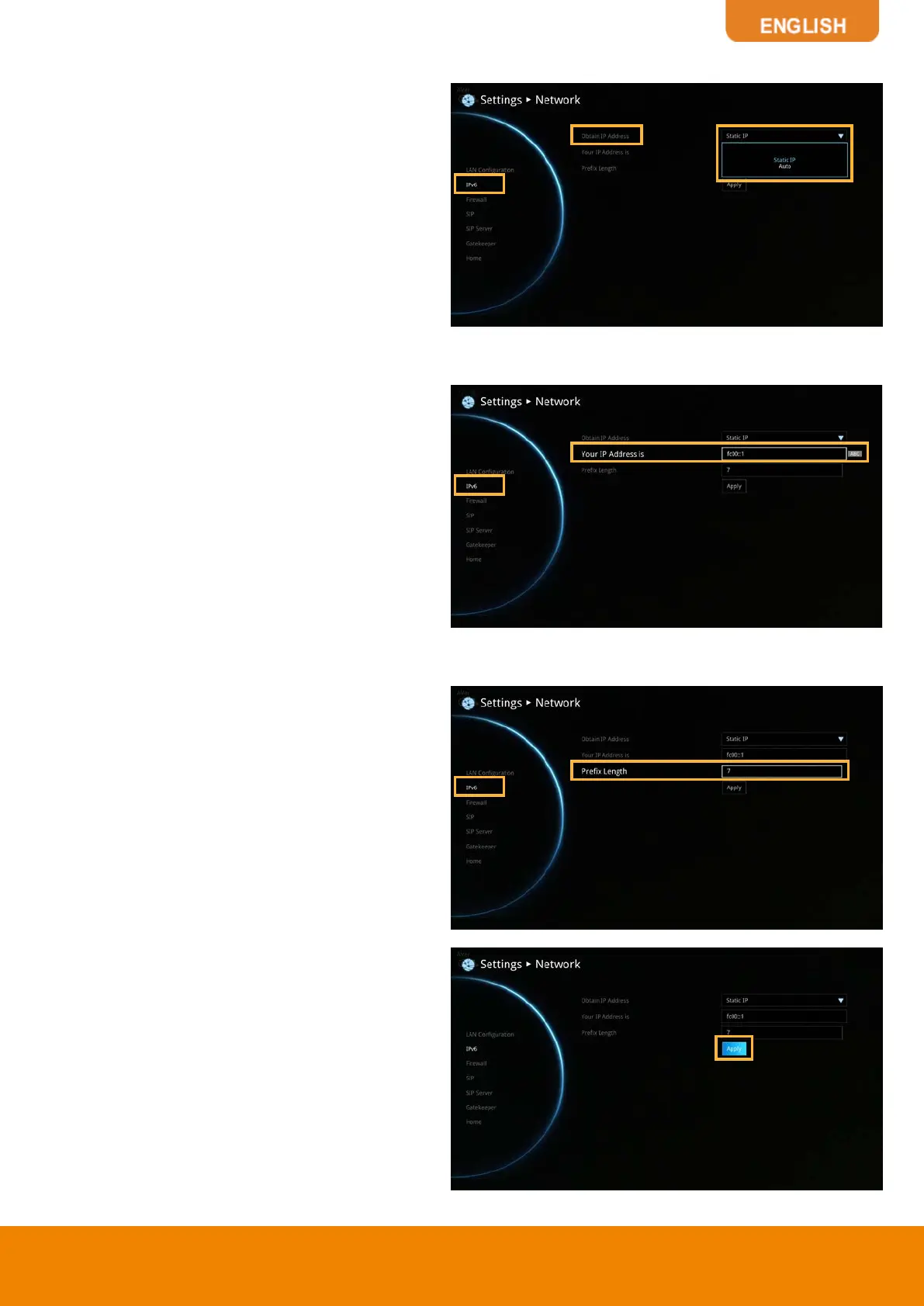
Obtain IP Address
Static IP:
Configure the system to use the
assigned IP address. Select this when the
public IP address is available.
Auto:
Obtain the dynamic IP address
automatically.
Your IP Address is
Show the current IP address; enter into when
you need to configure your IP address
manually.
Prefix Length
Prefix Length allows you to place as many IPv6
devices as the underlying network medium
allows.
After finishing all settings, select
“Apply”
to
active the changed settings.


 To Next Page