3
LED Indicator
Power on: Blink blue once
Start-up: Solid red
Sleep mode: Solid orange
Standby or a call on hold: Solid white
In use: Solid blue
Calling: Fast blink white or blue depending on original status
During a call: Solid purple
A second calling: Fast blink white, blue, or purple depending on original status
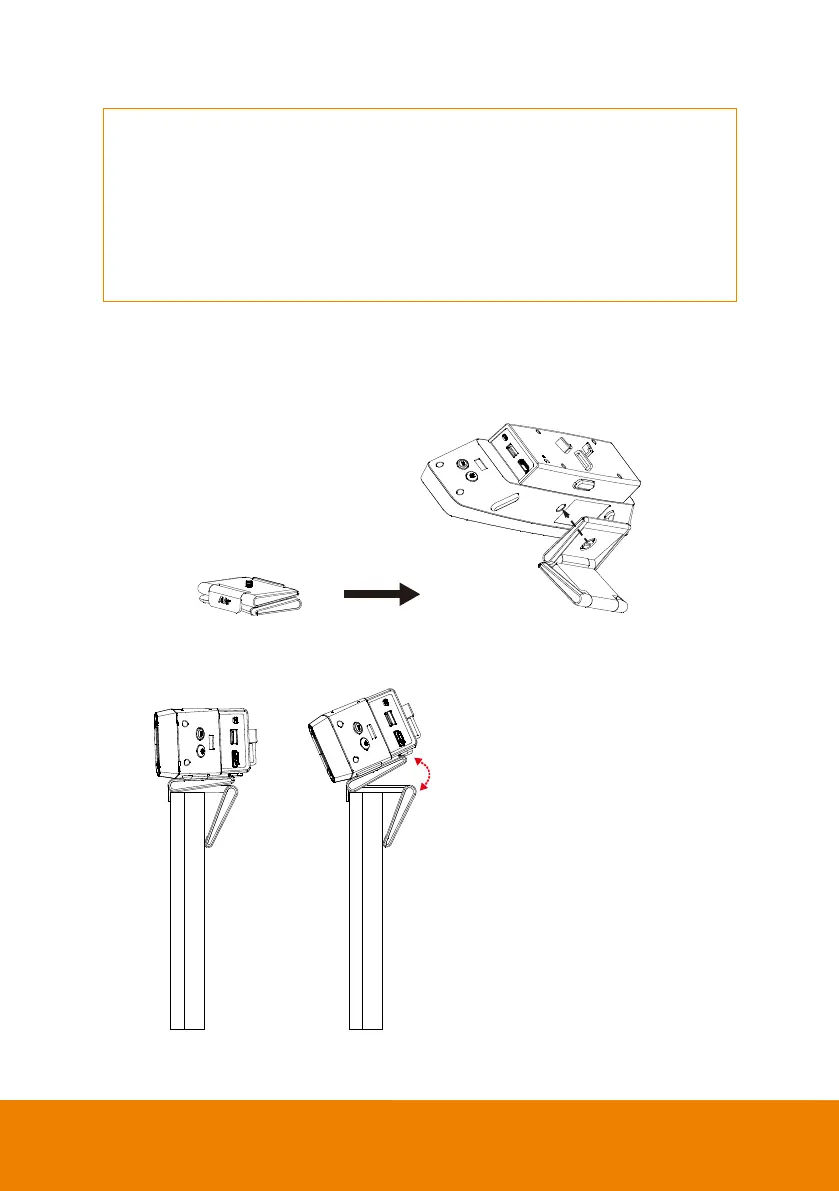
Tilt via TV Mount Kit
1. Open the TV Mount Kit and use its tripod screw to secure the VB130.
2. Clip the TV mount on the top of TV or the monitor. Tilt the TV mount if needed.
Recommended: less than 25°



 To Next Page