13
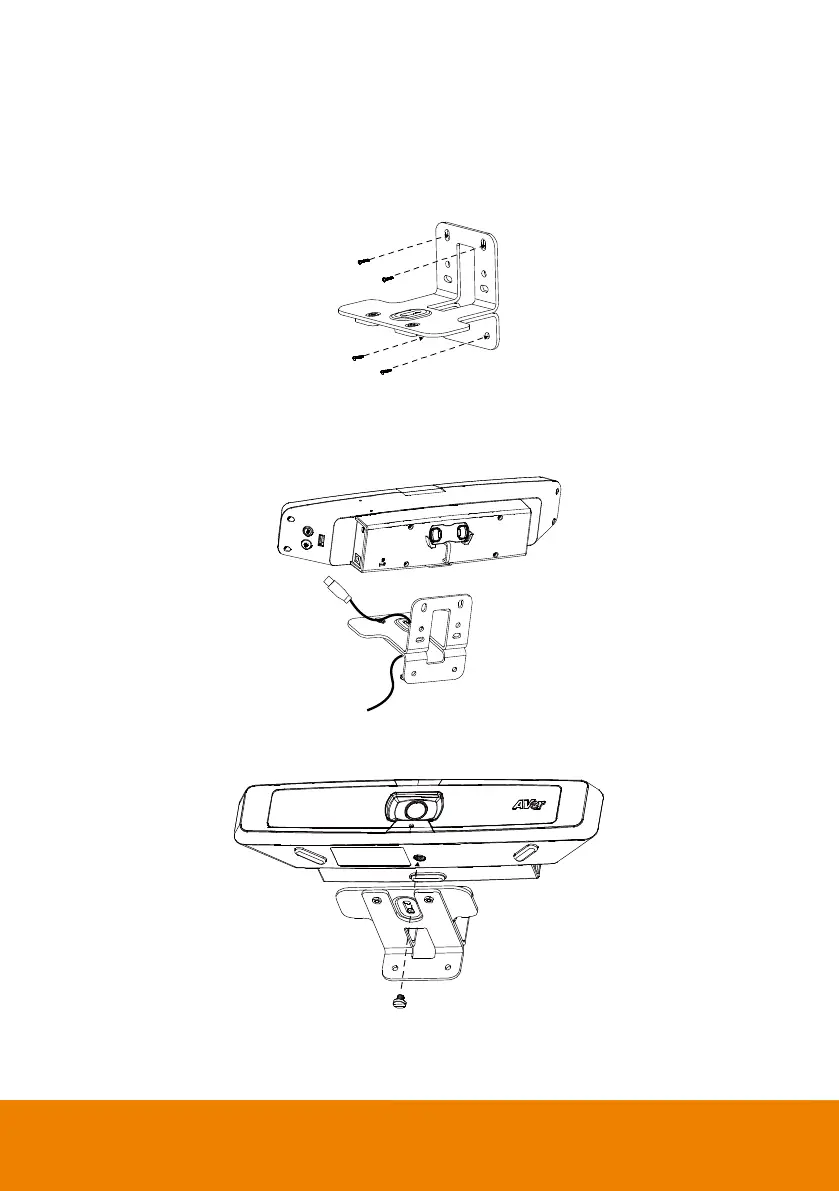
3. Use four screws (not supplied in the wall mount kit) to secure the L-mount brackets on the wall.
[Note]
Screws for Cement wall: M4 x20mm self-tapping screws (x4) + Plastic conical anchor
Screws for Wooden wall: M4 x20mm self-tapping screws (x4)
4. Pass the cables through the hole on the L-mount brackets and connect the cables to
corresponding connection ports.
5. Use the tripod screw in the wall mount kit to secure VB130 on the L-mount brackets.



 To Next Page