56
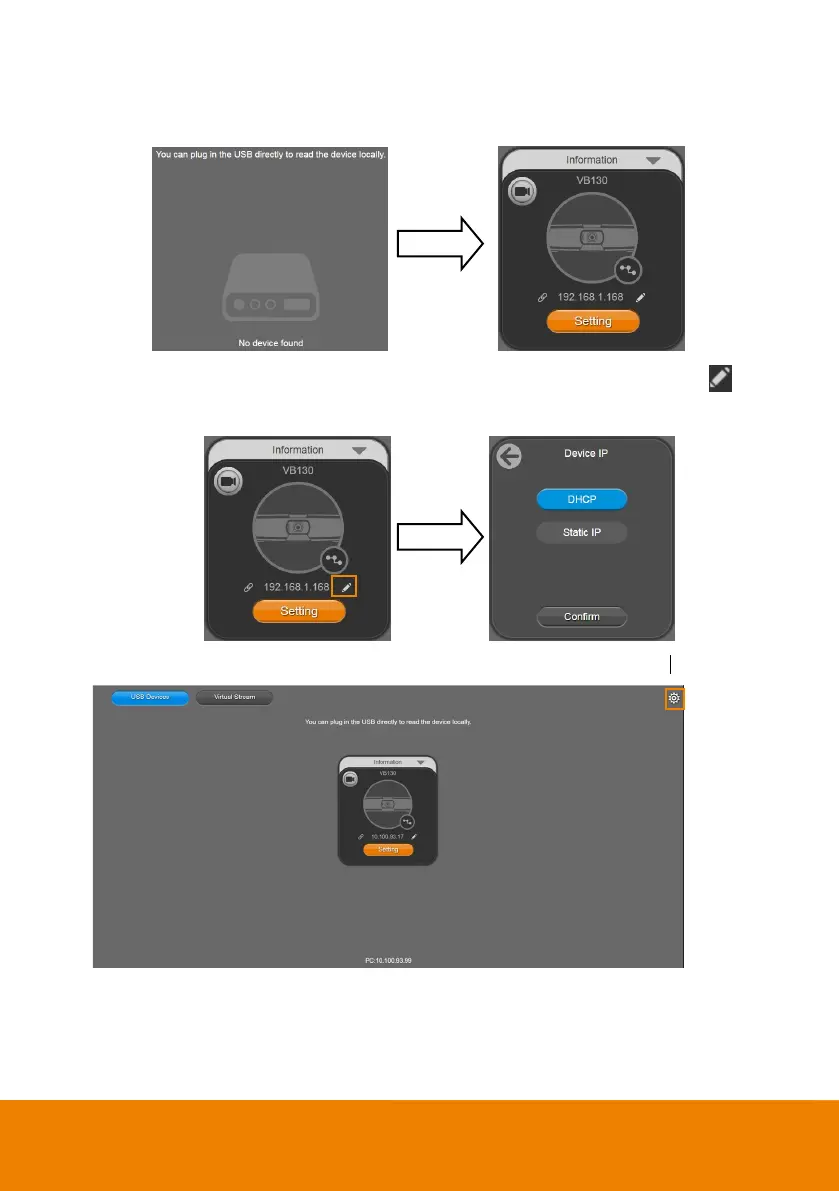
4. Choose “USB devices” and connect VB130 to PC/laptop with USB cable. When the camera is
detected, the product card will show up.
Set up IP address. The camera default IP address is 192.168.1.168. Click pencil icon ( ) to
edit IP address.
6. Click the setting icon to change Language, Hotkey Control, and Software Version.



 To Next Page