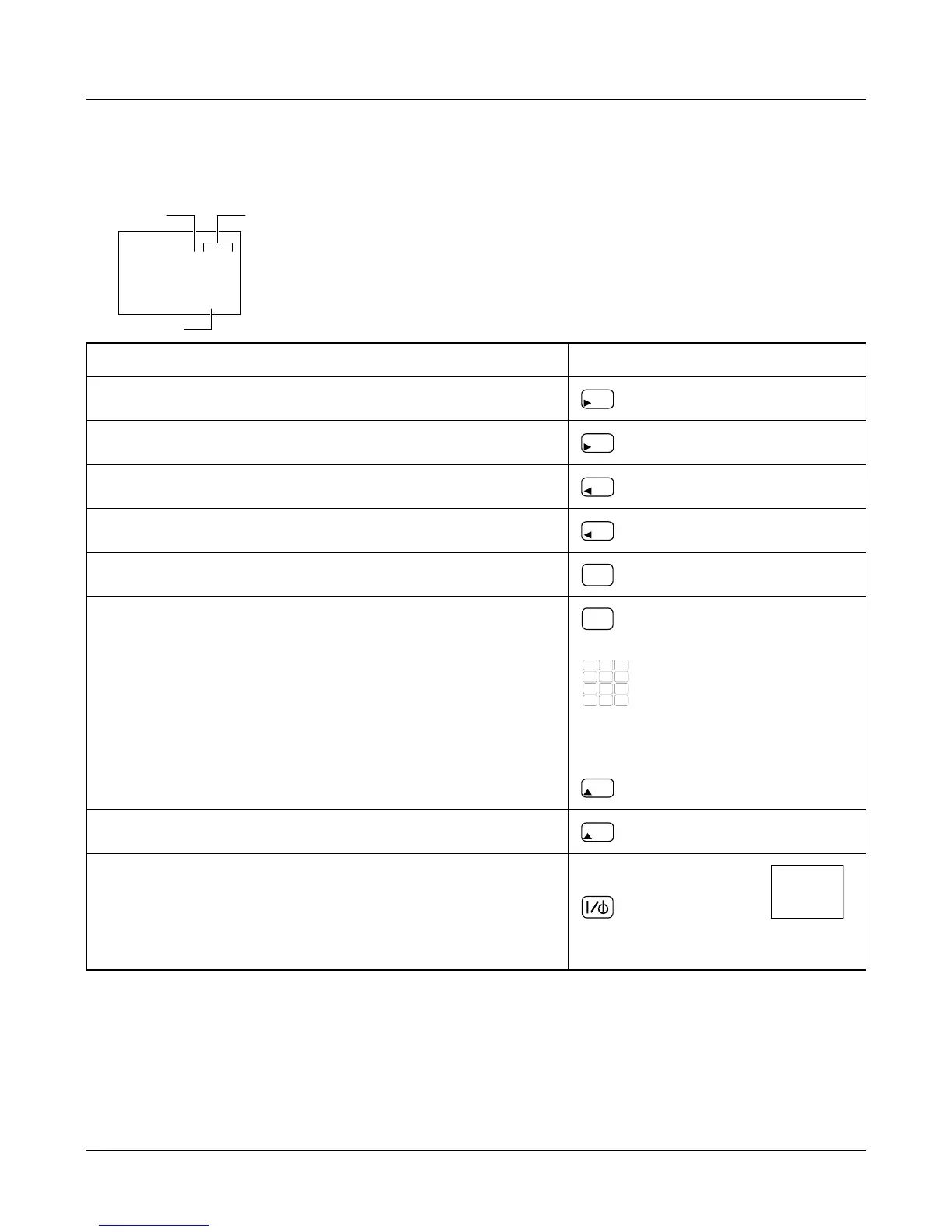
Navigating service mode
Each configuration setting consists of a value and a location, the location consists of
a Branch number and a Sub-branch number.
Function Key
Go to the next branch.
Go to the next sub-branch.
Go to the previous branch. *
Go to the previous sub-branch. *
Go to branch 00.
Select value to be changed.
Change the value.
Note: After changing a value, you must go to the
next branch or sub-branch to accept the change.
or
Increment the value X10.
Exit service mode.
If you are using the service tool, disconnect the
power supply from the scale and remove the tool
before reconnecting the scale to the power supply
* This key may not be available on some products.
Service Instructions 9
Navigating service mode
5.07
129
Sub-branchBranch
Val










 To Next Page