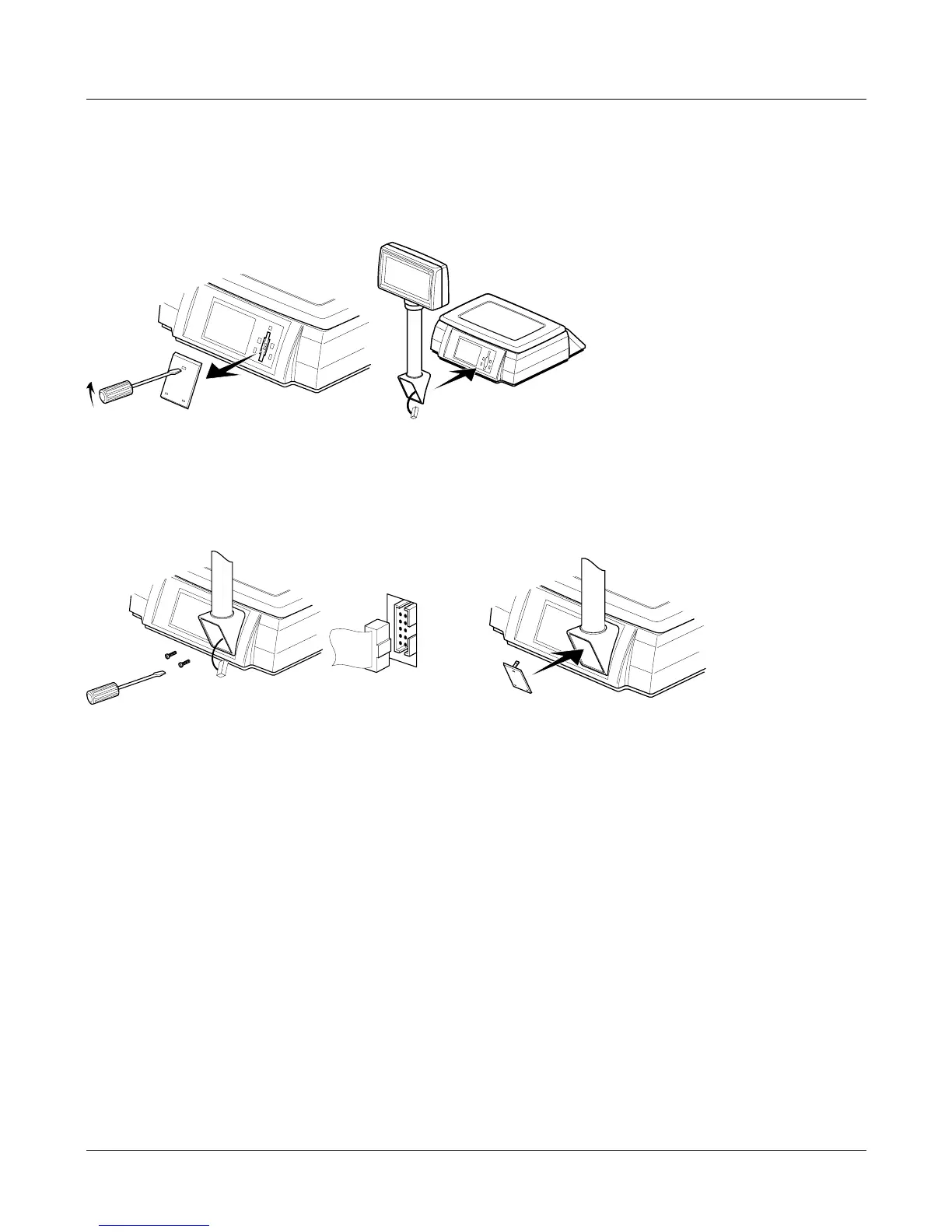
Installing a head-up display
1. Disconnect the FX from the mains power supply, or remove the battery pack.
2. Using a flat-bladed screwdriver, remove the blanking plate from the back of the
FX.
3. Attach the display using the two slotted screws. Carefully insert the plug from
the display into the socket at the back of the FX.
Note: Do not push the connector into the socket too hard as you may damage the
socket.
4. Replace the blanking plate, and reconnect the power supply.
Service Instructions 3
Installing a head-up display










 To Next Page