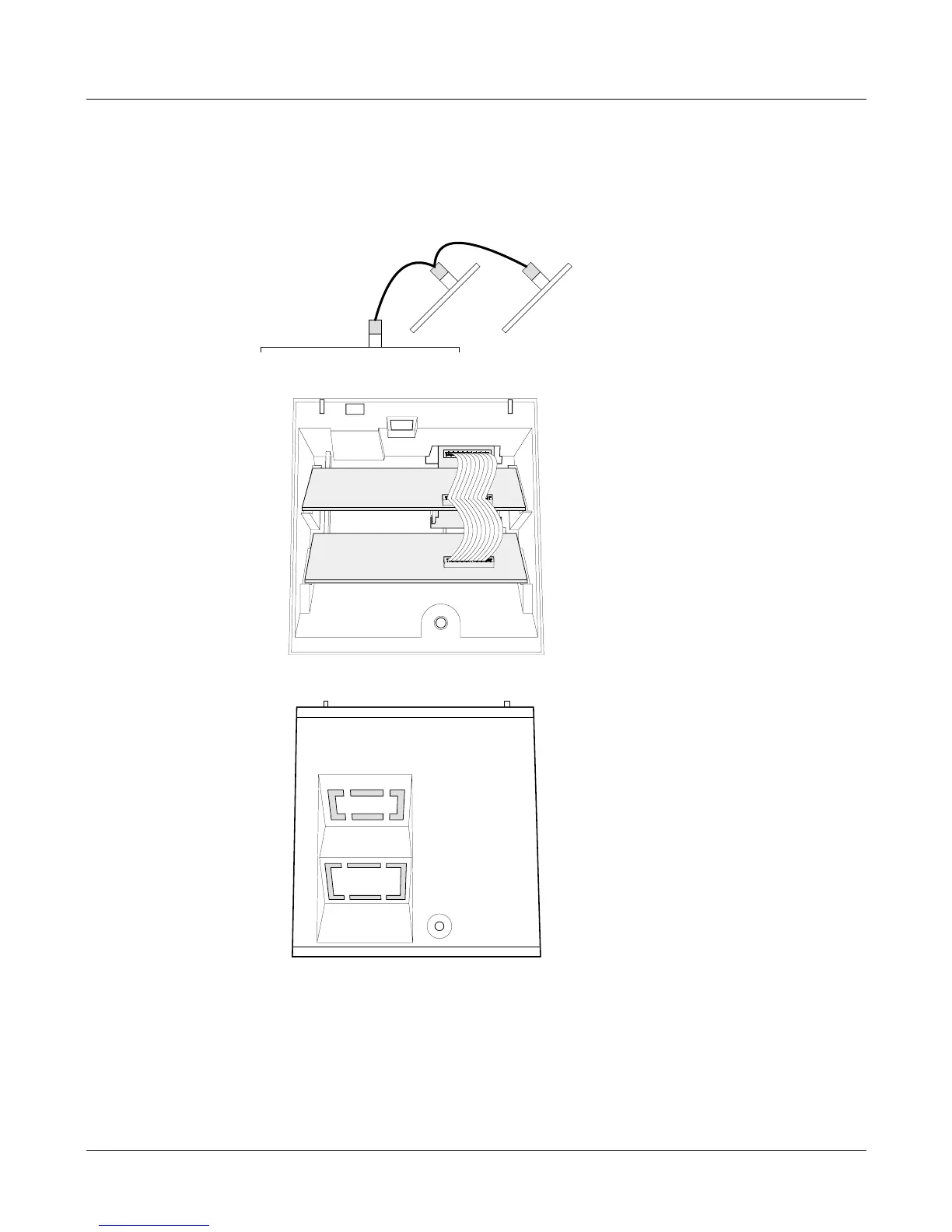
Installing expansion boards
Refer to the fitting instructions included with each expansion board for details on
configuration settings.
1. Connect the wiring loom to the expansion boards.
2. Remove the cover and place the boards in their correct slots.
3. Break off the appropriate blanking plate and replace the cover.
2 Service Instructions
Installing expansion boards








 To Next Page