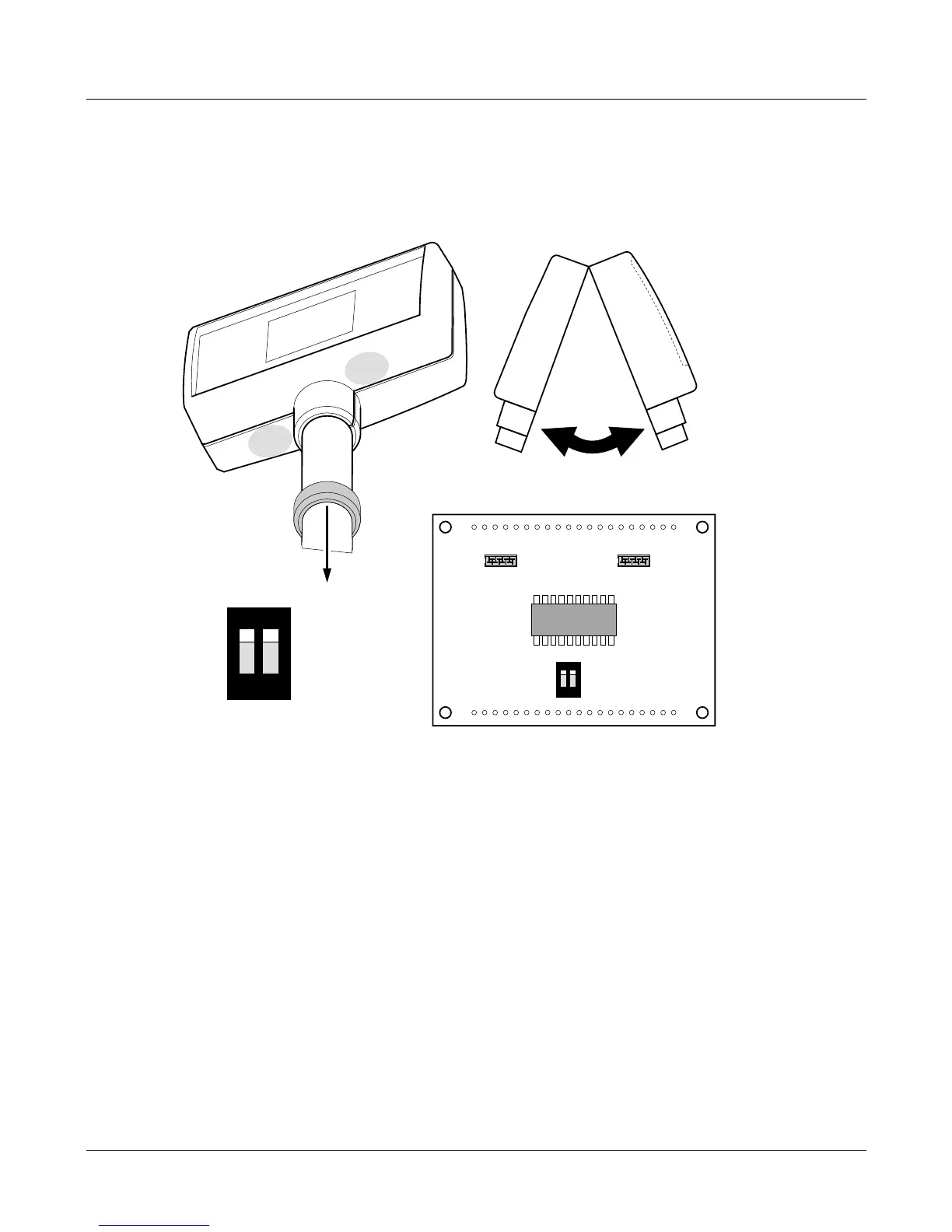
Replacing a head-up display
1. Slide the collar down the column.
2. Gripping the headup display firmly, press hard at the two points marked A, and
break open the covers:
3. Disconnect and remove the damaged display.
4. For the new display, make sure that both dip-switches are in the ON position.
5. Fit the new display, making sure that the loom is connected to socket 'B'.
6. Snap the covers together and re-fit the collar.
Service Instructions 23
Replacing a head-up display
12
On
12
On
B
A
A








 To Next Page