Establishing Communications
Before the printer can accept print jobs from the host, you must:
♦ Connect the communication cable to the printer and to the host.
♦ Set the communication values on the printer to match those at the host.
(Only required if you are using the serial port.)
♦ Make sure the printer is off before
connecting the cable to the
communication port.
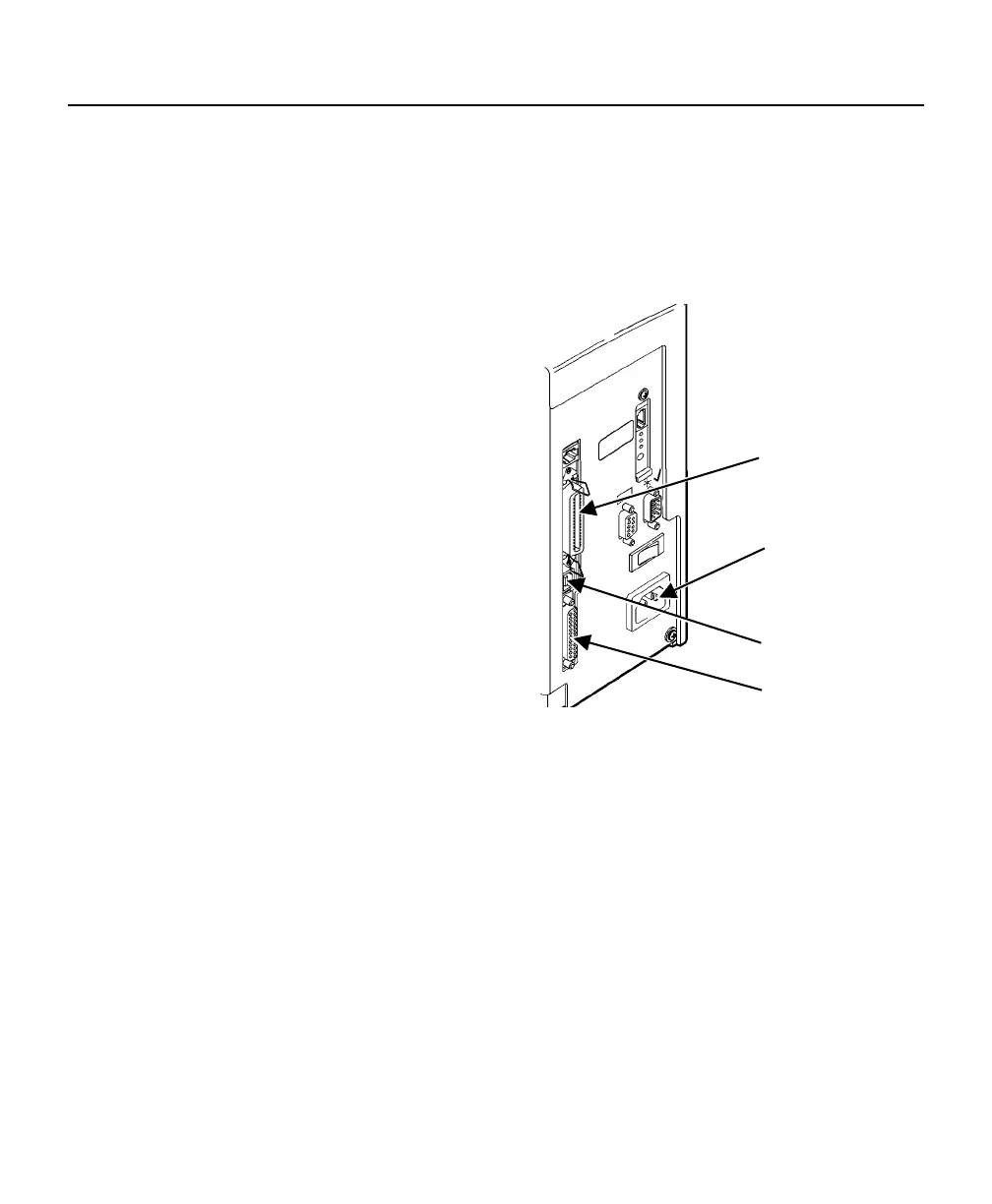
Serial Port
USB Port
Power Cable
goes here
Parallel Port
Ask your System Administrator which
method you will use to communicate
with the host:
Serial Communication
9 to 25-pin cable
(Part #126825)
25 to 25-pin cable
(Part #126826)
Parallel Communication
IEEE-1284 or
Centronics® mode cable (Part #126805)
Connecting the Communication Cable
Connect the communication cable into the appropriate port. Secure the
cable with the connecting screws (serial) or spring clips (parallel).
If you are communicating with the host through the serial port, make sure the
printer's communication values match those at the host. The factory default
values are 9600 Baud, 8 bit data frame, 1 stop bit, no parity, and DTR flow
control.
The printer also has a USB (Universal Serial Bus) Version 1.1
communication port. Drivers are available on our Web site for a variety of
operating systems.
Getting Started 1-5












 To Next Page