5
PREPARATION
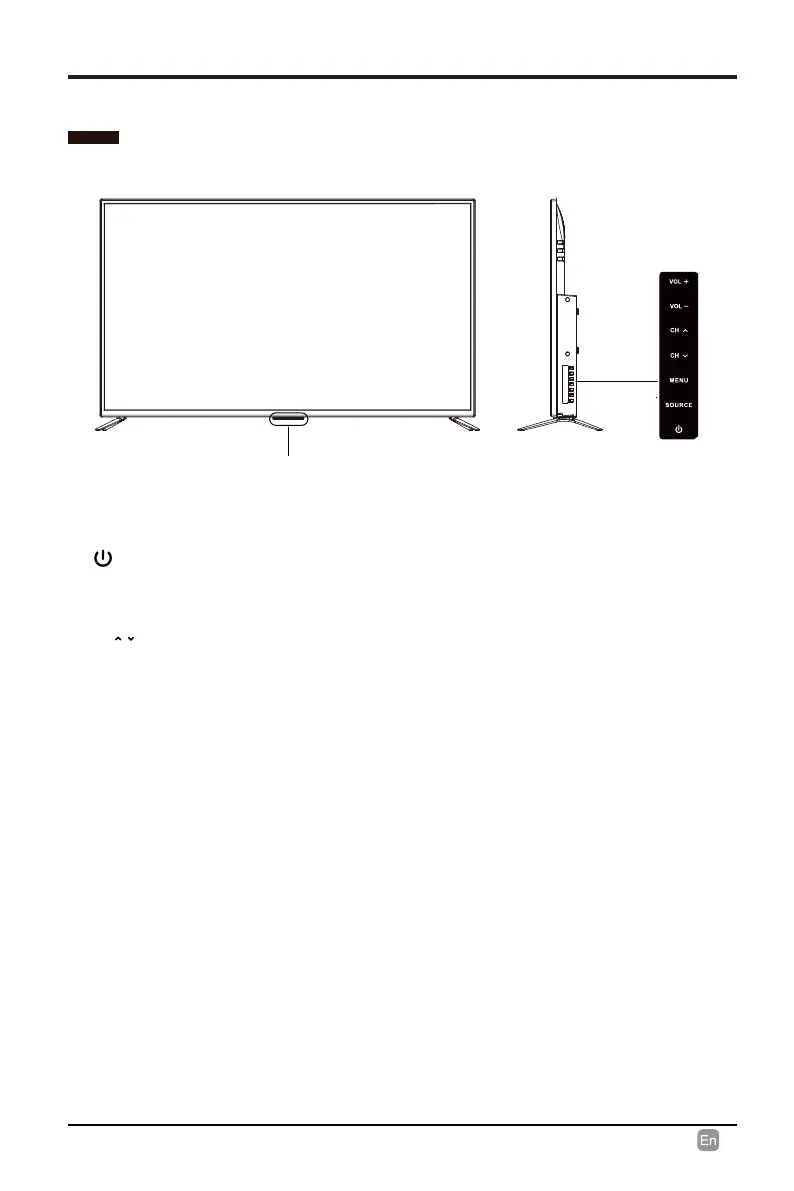
Front View
•
Switch the TV between On / Standby mode.
•
CH /
Press to select a channel.
•
VOL +/-
Press to adjust the volume.
• POWER Indicator
POWER Indicator
Illuminate blue when the TV is turned on. Illuminate red when the TV is in standby
mode.
•
•
•
IR (Infrared Receiver)
IR (Infrared Receiver)
Receive IR signals from the remote control.
SOURCE
Press to select among different input signal sources.
MENU
Display the OSD (on screen display) menu.


 To Next Page