38
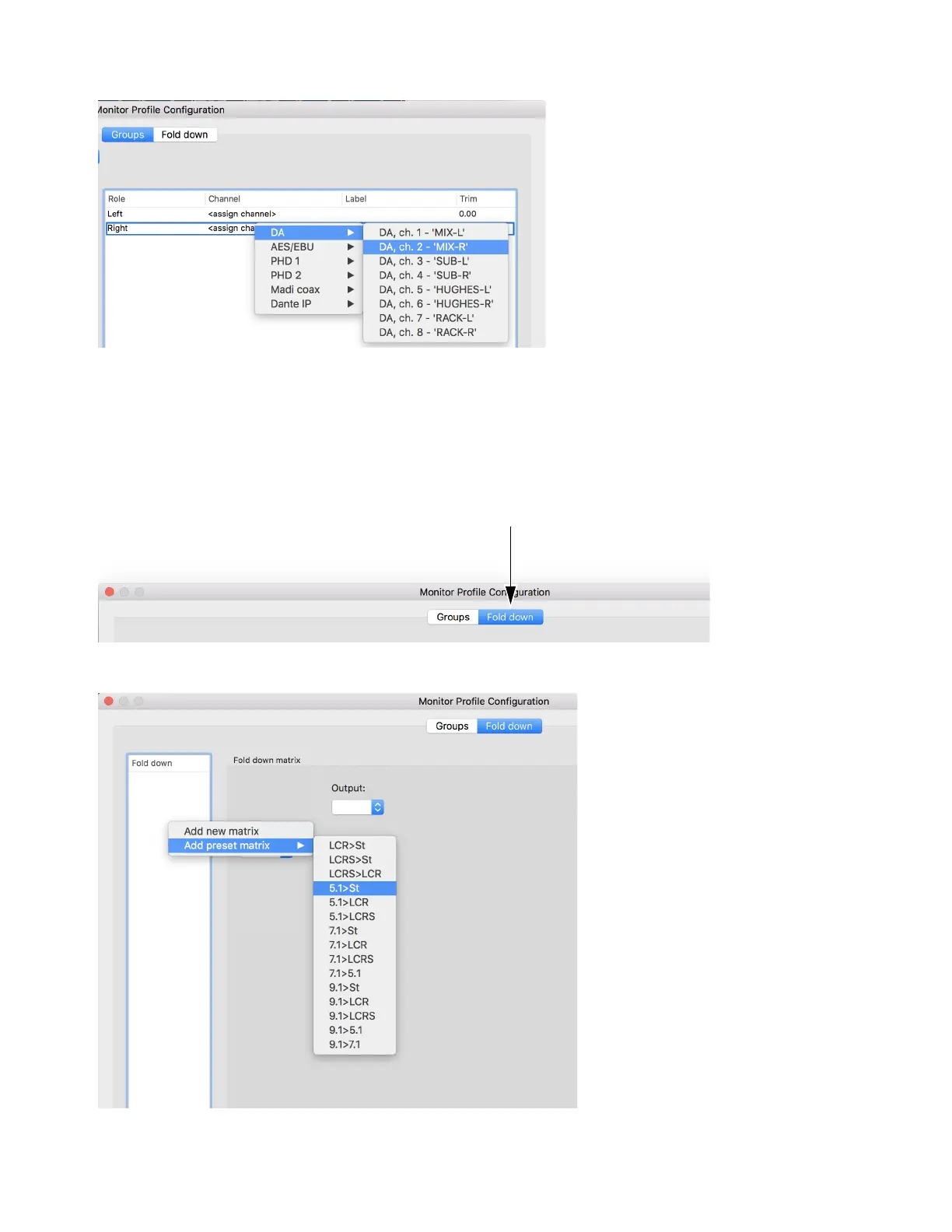
4 In the Channel column, right-click <assign channel> and choose the desired output destination. Repeat for each channel.
5 Optionally, modify the settings for speaker labels and trims.
6 To add additional output sets, right-click Outputs, choose Add new set, and repeat the previous steps.
Adding Fold-down
To add Fold-down to an output set:
1 Click the Fold down tab at the top of the Monitor Profile Configuration window.
2 Right-click in the Fold down area and choose Add preset matrix, then select one of the standard Fold-down presets.



 To Next Page