39
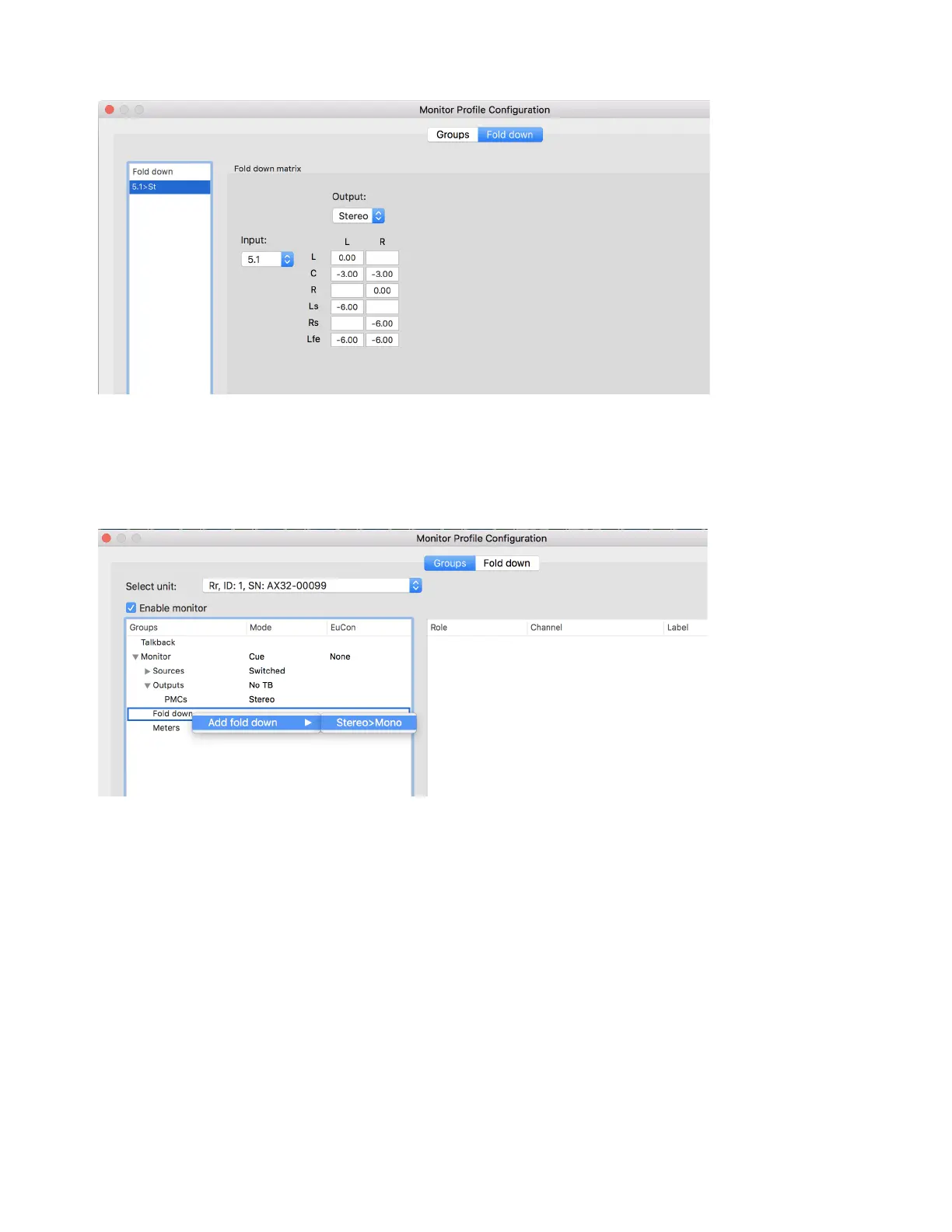
3 Select the added Fold-down (such as 5.1>St) to display and enable editing of the Fold-down equations.
4 Optionally, you can edit the Fold-down equations.
5 Right-click on the Fold-down to rename, remove or add additional Fold-downs.
6 Click back on the Groups tab of the Monitor Profile Configuration window to return to the monitor settings.
7 Right-click on Fold down and choose Add fold down to assign your newly created Fold-down to an Output set.
8 Repeat the previous steps to add multiple Fold-down sets for this Output set.



 To Next Page