40
Adding a Parallel Output
To add a parallel output to an external metering system (such as one from TC Electronics or DK Technologies):
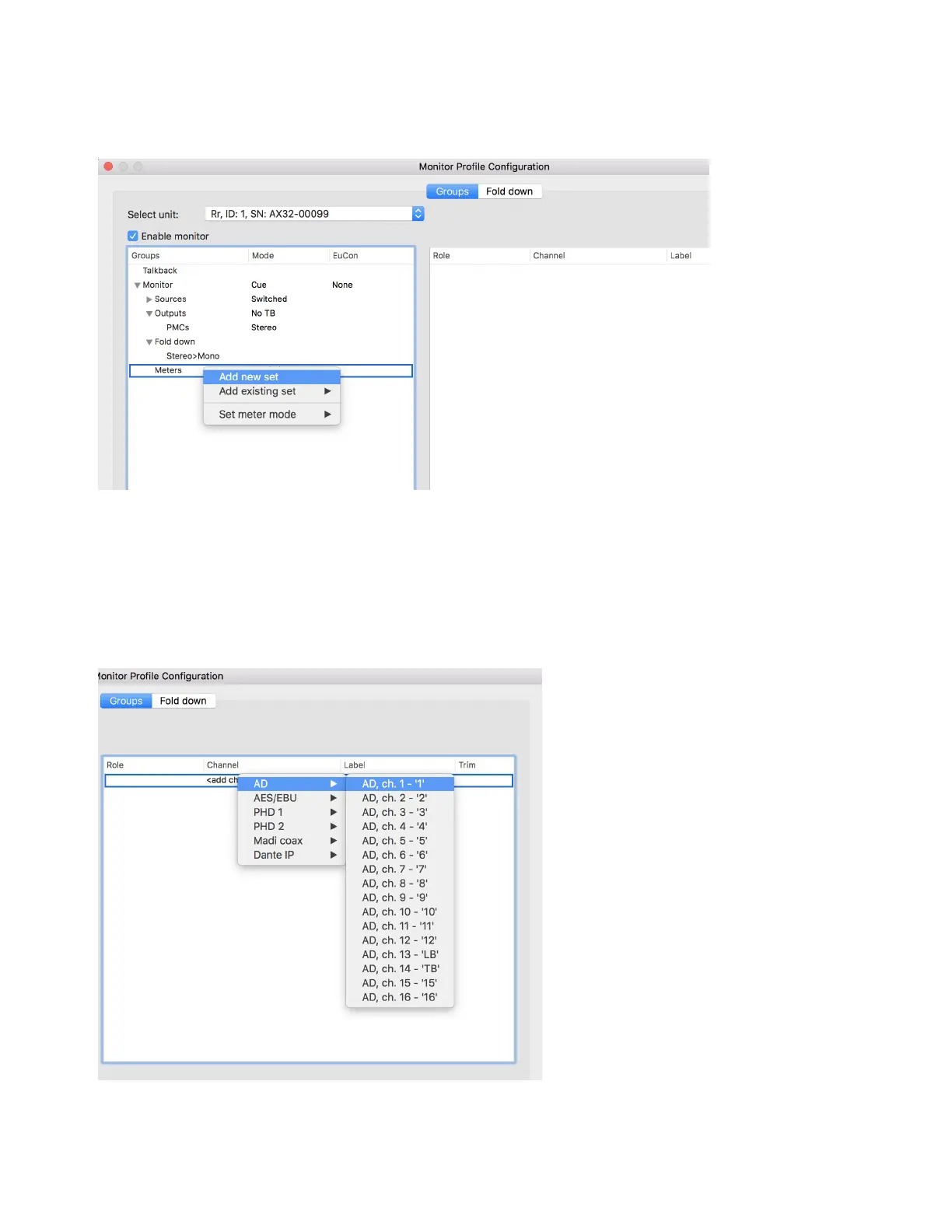
1 Right-click on Meters and choose Add new set or Add existing set.
2 To specify Pre- or Post-Fader operation, right-click on Meters, choose Set meter mode, then choose the desired mode.
Adding a Talkback Input
To add a Talkback Mic input:
1 Click to highlight Talkback at the top of the Monitor Profile Configuration window.
2 In the Channel column, click on <add channel> and choose the type of IO to source the input from.
3 Optionally, click to edit the Label and Trim for the Talkback input.



 To Next Page