41
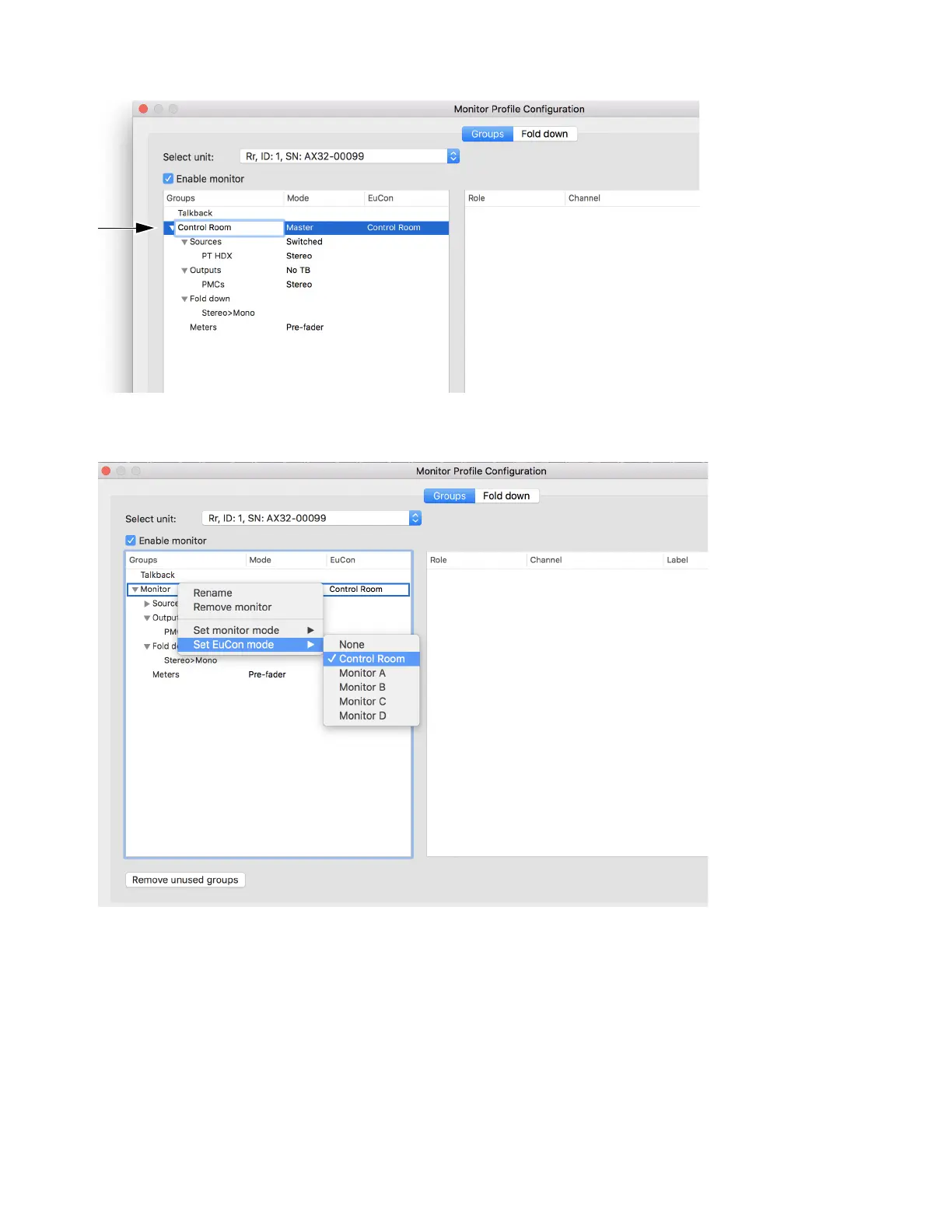
4 Click on Monitor and type to change its name (Control Room).
5 To designate this monitor as the primary Control Room monitor for EUCON, right-click Monitor, then choose Control Room from
the
Set EuCon mode sub-menu. Right-click Monitor again, and choose Master from the Set monitor mode sub-menu.
6 To add additional Monitors (such as Monitors A–D) right-click anywhere in the window and choose Add monitor.



 To Next Page