EN 34
CONNECTED MOTOR DRIVE KIT
D - BEGINNING OPERATION
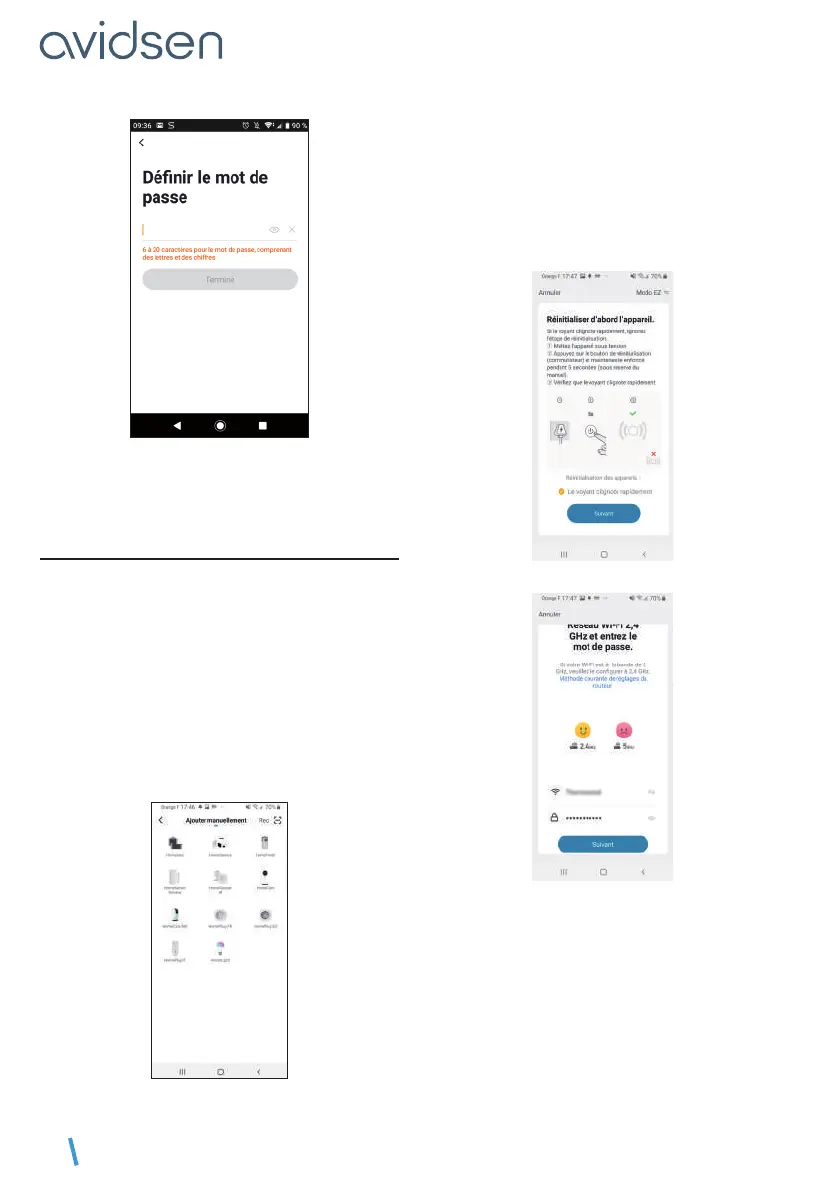
To complete your registration, set a password
between 6 and 20 characters long with letters and
numbers only. then press Terminé (Finished).
4.2 - CONNECTING THE CONTACTOR
As soon as it is switched on, the contactor will be
in pairing mode by default. Its indicator light starts
flashing until the pairing procedure is completed.
To start the pairing, press AJOUTER (ADD). Make
sure your phone is connected to your router’s 2.4
GHz WiFi network. If you already have a device
installed on the application (e.g. IP camera, smart
plug, etc.) click on + in the top right corner of the
application. Select the product you wish to pair and
select Home Gate.
Make sure the contactor is connected and its
indicator light is flashing. Otherwise, press the reset
button for 5s so that the blue indicator light starts
flashing. Select your 2.4GHz WiFi network (note:
your smartphone must be connected to the WiFi
network to which the plug will be connected), enter
your network password and press suivant (next).
IMPORTANT: if a location authorisation request
message appears, you need to accept it for
your Android or iOS device to receive your WiFi.



 To Next Page