EN29EN 28
2.8.3 - DELETING ALL REMOTE CONTROLS
To deprogram all the remote control buttons
learnt, follow the procedure below
• Press “–” for 3 seconds and L1 will switch on.
• Press “+” twice and L1 will turn off and L3 will turn
on.
• Press OK and the 4 red LEDs will switch on.
• Press OK for 3 seconds and all the LEDs will switch
off and switch on to confirm the operation.
3 - ADVANCED SETTINGS
Certain adjustments may be necessary in the event
of a problem or for specific use of the electronic
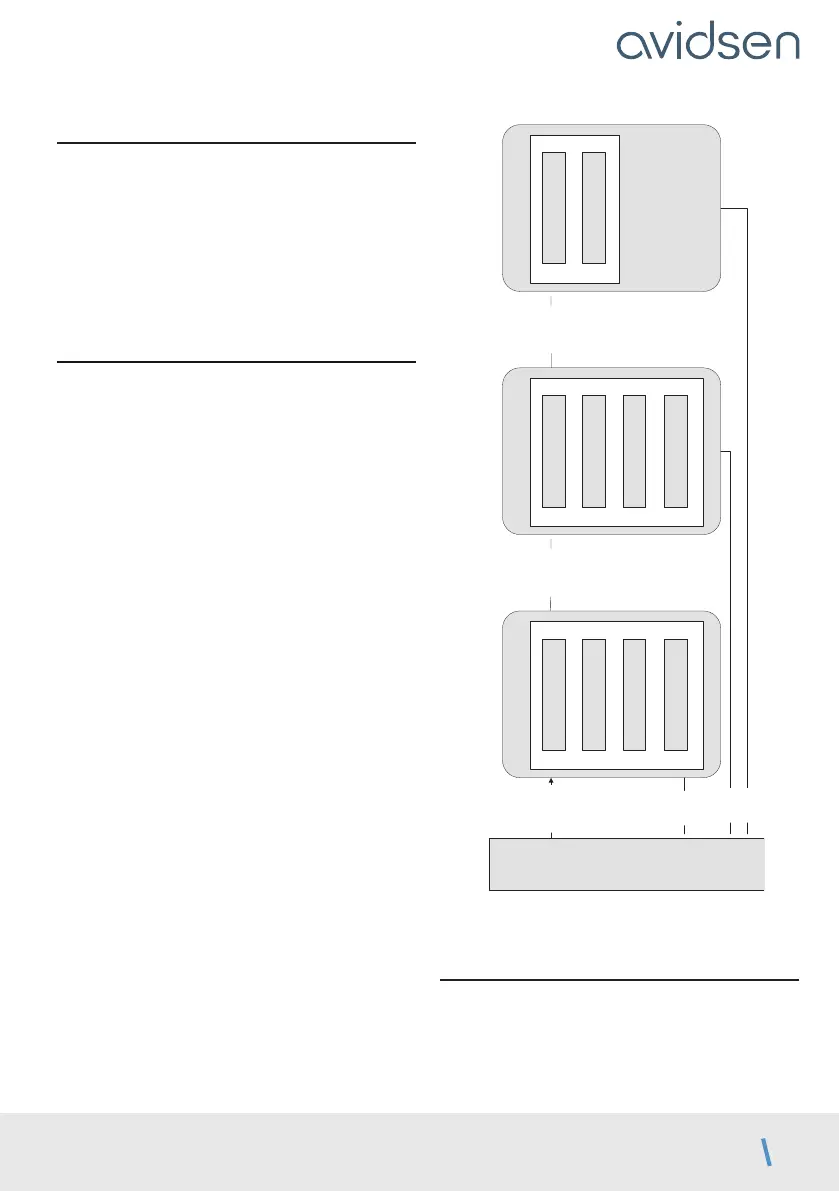
card. There are two additional menus with basic
settings.
réglages simples
MODE
TEMPORISATION
FORCE
VITESSE
réglages simples
Accélération
Mode Photocellules
Type de portail
Tolérance butée
réglages simples
Décalage fermeture
Temps préclignotement
PROG 3s
PROG 3s
PROG 3s
PROG
PROG
PROG
MENU 0
3.1 - ACCESS TO ADVANCED SETTINGS
(MENUS 2 AND 3)
To access menus 2 and 3, follow the procedure
below
• Press PROG for 3 seconds. L0 will flash once,
L1 will turn on and you will be in menu 1 (basic
settings).
D - BEGINNING OPERATION



 To Next Page