25
A360 PersonAl Mixer User GUide
LEFT RIGHT
L
R
Stereo Guitar
LEFT RIGHT
L R
Stereo Piano
LEFT RIGHT
L
R
Stereo Drums
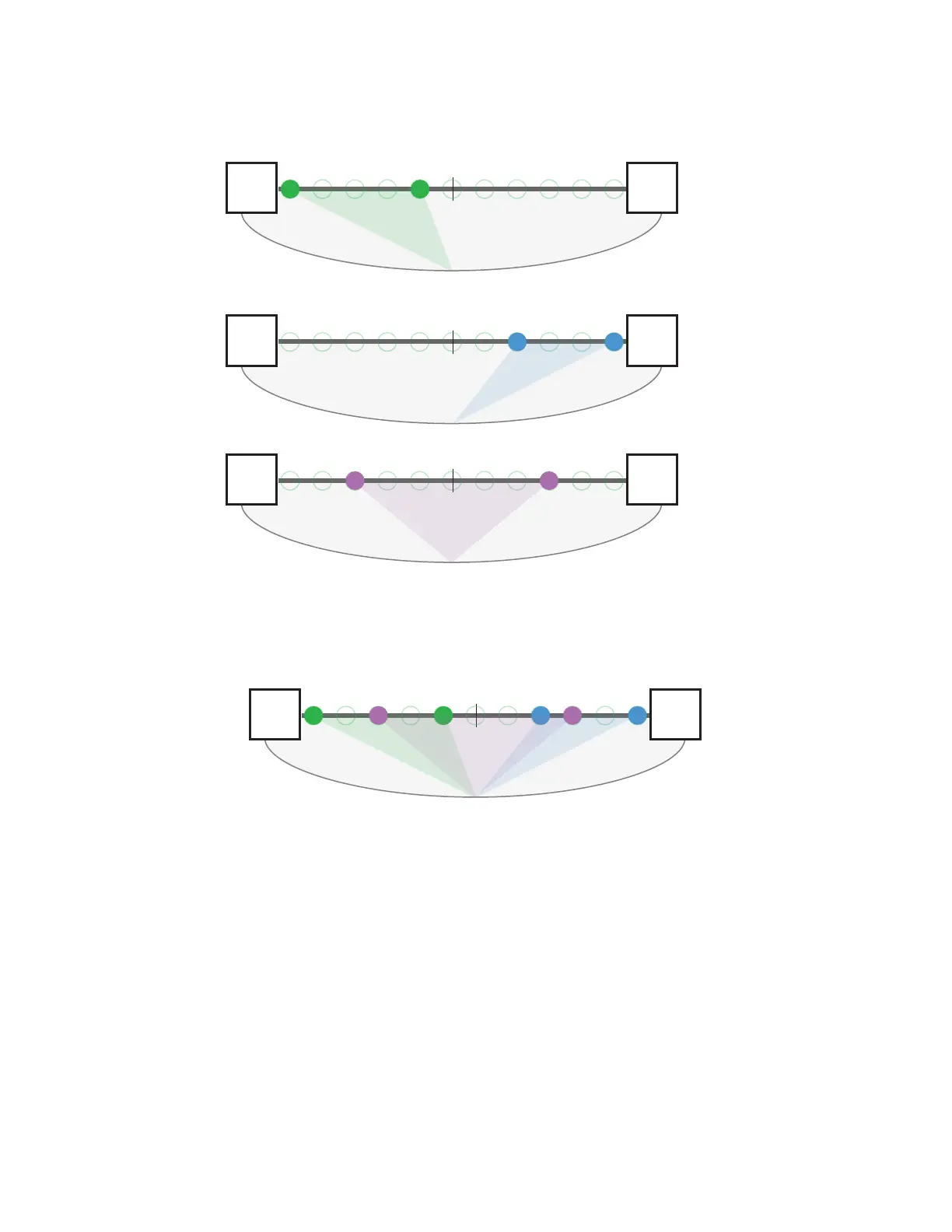
Three stereo channels are shown panned to various locations within the stereo image.
LEFT RIGHT
L
R
Stereo Guitar
L R
Stereo Piano
L
R
Stereo Drums
The eects of stereo Spread plus panning: a stereo guitar is panned left, a stereo piano is panned right. With stereo
drums panned less than full left/right, the stereo imaging is improved.
To pan a stereo channel, make sure that the SPreAD button’s LED is not lit (press the SPreAD button to turn it
off if necessary) and then turn the PAN knob to position the channel within the stereo field.
Continuing to turn the PAN knob left or right will start to collapse the image of the stereo channel to mono.
Reversing directions will restore the spread between the left/right sides of the channel only while editing.
If another mix channel is selected while that channel is collapsed to mono, the previous channel’s spread
is set to mono. Its stereo spread can be restored by reselecting the channel and reactivating the SPreAD
button and setting a new Spread amount.



 To Next Page