User’s Manual
5. ISIS Interface Operation
* Please refer to the preceding chapter, Scanner Installation, to
install ISIS scanner driver. You may start the supplied
QuickScan software application to scan via the ISIS user
interface.
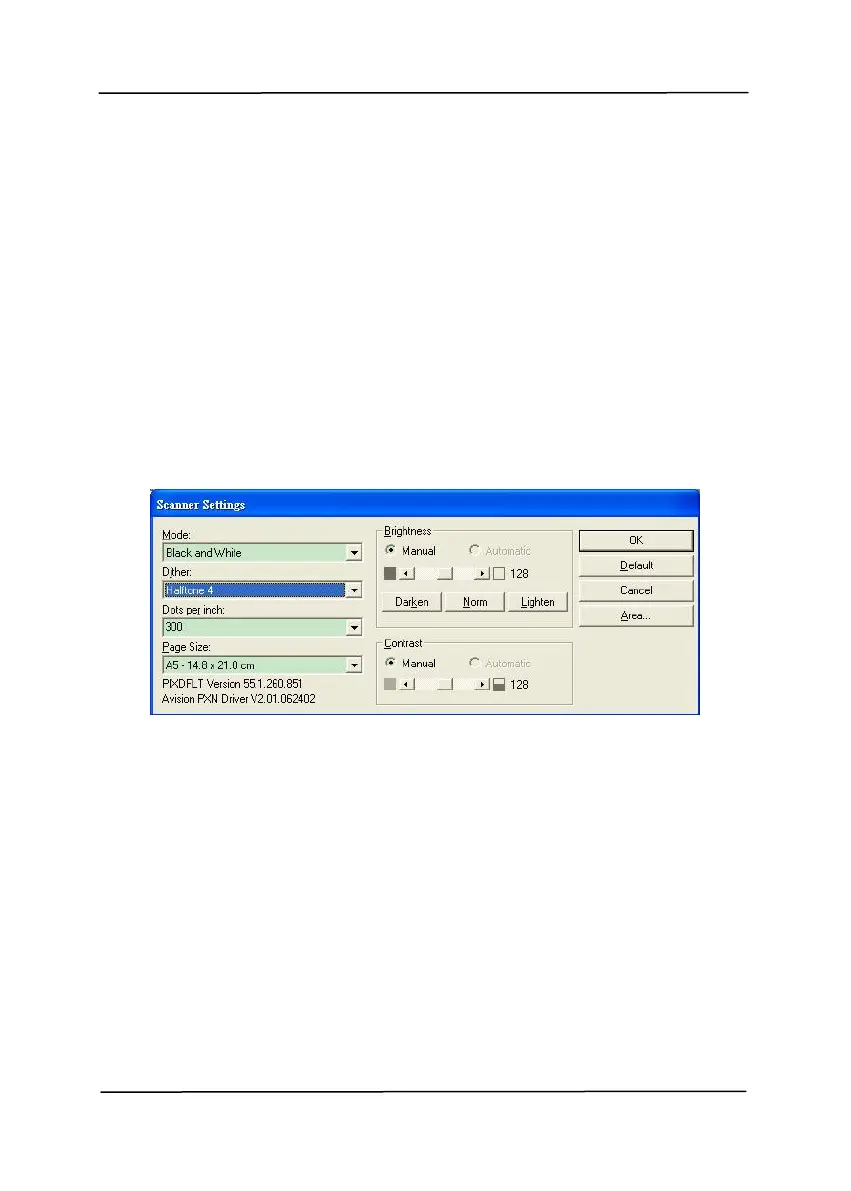
The ISIS driver operation method is similar to the TWAIN’s.
Every function on the ISIS interface screen is briefly described
as below:
Mode: Select one of scan modes, including B&W, gray, color
options.
Dither: 5 halftone levels available, can be disabled.
Dots per inch: Select your desired resolution.
Paper Size: Select your desired paper size.
Brightness: Adjust your scan image brightness or darkness.
Contrast: Adjust the range between the darkest and the
lightest shades in the image.
Default: Click to reset all settings.
Area: Select your desired scan area or position.



 To Next Page