User’s Manual
2.1 Unlocking your scanner
To protect the scanning unit from damage during
transportation, a lock switch is designed at the back of the
scanner to keep the scanning unit from moving. To unlock the
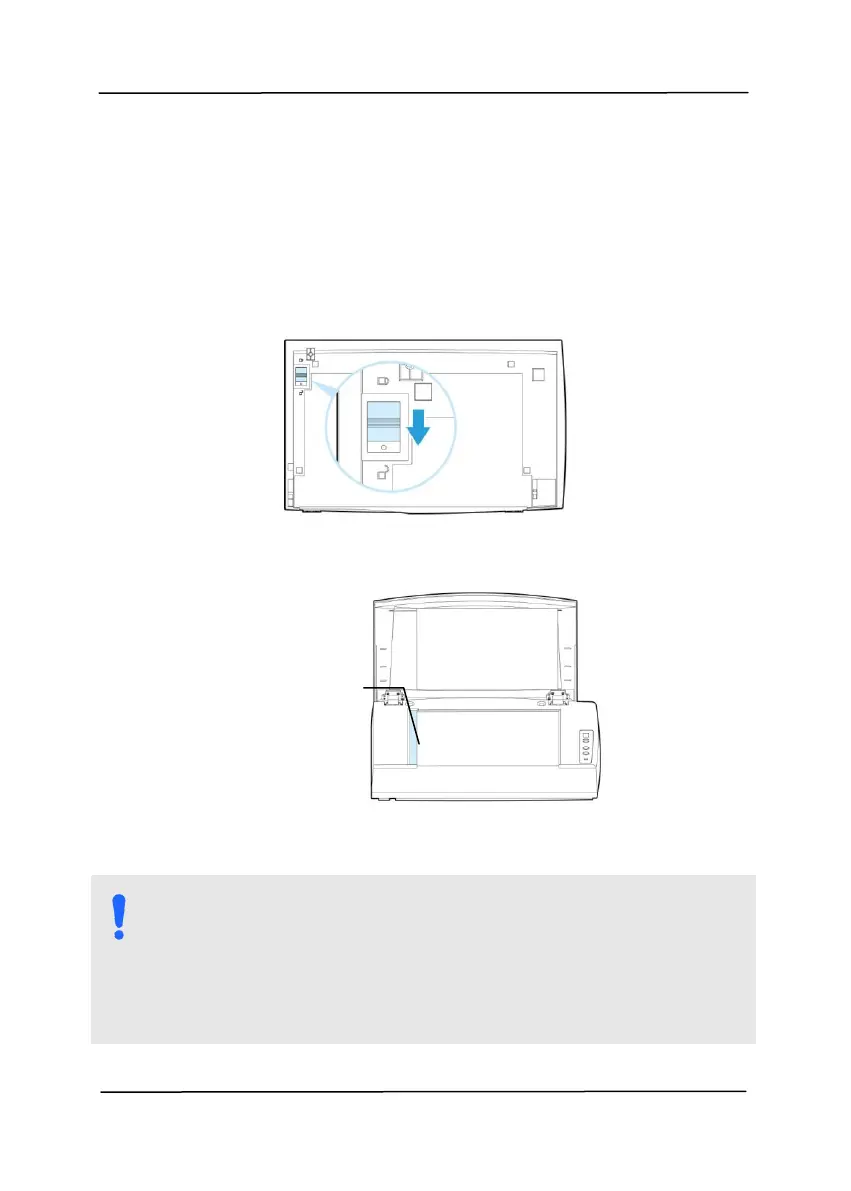
scanner, move the lock switch down as shown in Fig. 2-1.
Figure 2-1 Unlocking the Scanner
Figure 2-2 Home position
NOTE: If the scanning unit is not located at the front of
the scanner before transporting the scanner, be sure to
do the follows:
1. Turn on the scanner. The scanning unit should move
to the front of the scanner.
2. Press the lock switch down to the “Lock position”.
3. The scanner is now ready to transport.
Scanning unit at
this position
before locking the
scanner



 To Next Page