- 23 -
E
N
G
Accessories
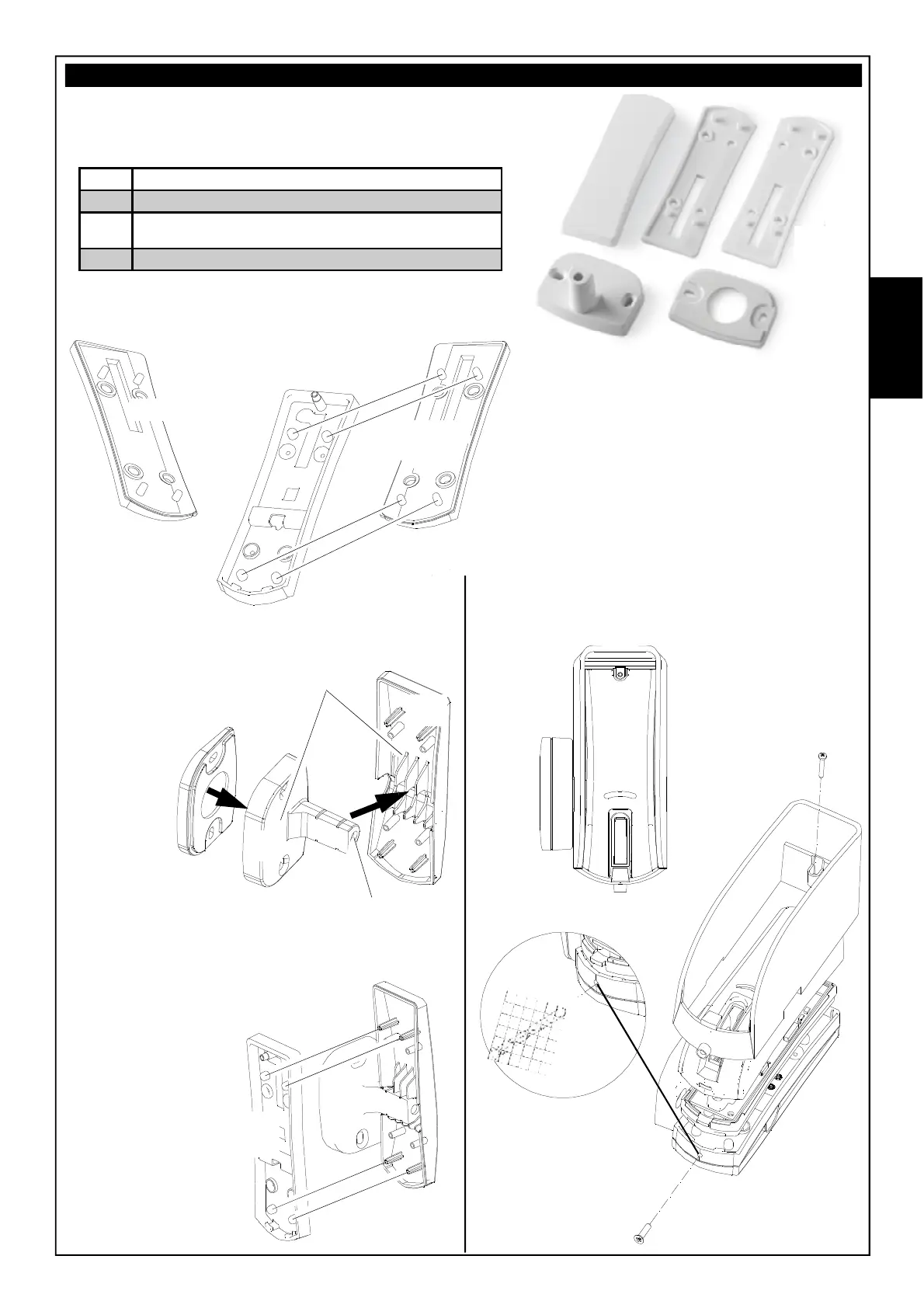
The kit contains accessories for:
Based on the tilt to be provided, before fastening
to the wall, insert Accessory A (to provide a tilt of
5° to the left) or Accessory B (to provide a tilt of 5°
to the right) under the double bottom, placing the 4
pins in the respective seats.
TILT OF 5°
TILT OF 90° - TILT OF 95°
Cut the back
(Accessory
C2), on the
perforation
provided, from
the desired
side for the
insertion of
the L-shaped
bracket
(Accessory
C1).
For a tilt of 95°,
before fastening
to the wall, insert
Accessory D on the
bottom of the L-shaped bracket
(as in the figure to the side)
Double
bottom
Insert the double
bottom, aligning the
holes with the
cross-turrets on
the back
(Accessory C2)
and fasten with
the 4 2.2 x 9.5
screws
Accessory
D
Accessory
C
C1
C2
Hole for passage
of the cable
Double bottom
Accessory
A
Accessory
B
A
B
C1
C2
D
RAIN PROTECTION MOD. OSC
(Optional)
Ø 3 mm
A
Accessory for wall mounting with tilt of 5° to the left
B
Accessory for wall mounting with tilt of 5° to the right
C
Accessory for wall mounting with tilt of 90°, consisting of
an L-shaped bracket (C1) and back (C2)
D
Accessory for wall mounting with tilt of 95°



 To Next Page