SURFACE|TALKBOX CONNECTIONS
OXYGEN 1000 & OXYGEN 2000 · User Manual · ENG
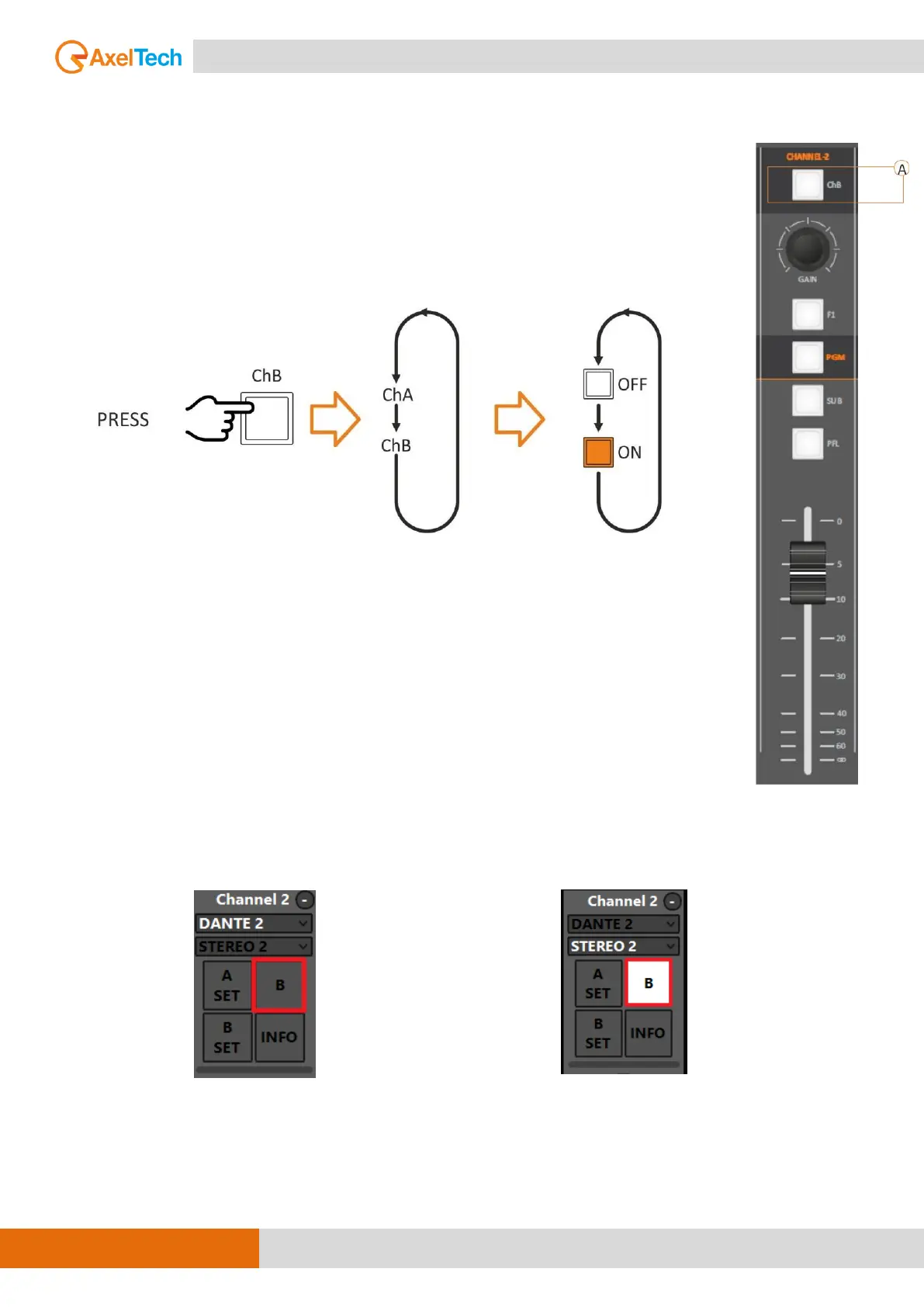
A. ChB BUTTON
For every channel, you can set two different input sources, ChA and ChB.
By pressing the ChB button, you can switch over between A/B sources.
Button in OFF position: the ChA is active.
Button in ON position: the ChB is shown. The button starts lighting.
ATTENTION: If the source is already aired on a different channel it will be aired to
the last one too. The faders will be added accordingly with the BUS selection.
If Channel B is aired you cannot assign to it the EMPTY source.
The CHB button functioning is possible by the following button of the OXYGEN REMOTER:
CH-A ON
In this example the activated source is DANTE 2
CH-B ON
In this example the activated source is STEREO 2



 To Next Page