OXYGEN 1000 & OXYGEN 2000 · User Manual · ENG
OXYGEN REMOTER - SETTINGS |SPECIAL OXYGEN REMOTER FUNCTION BUTTONS
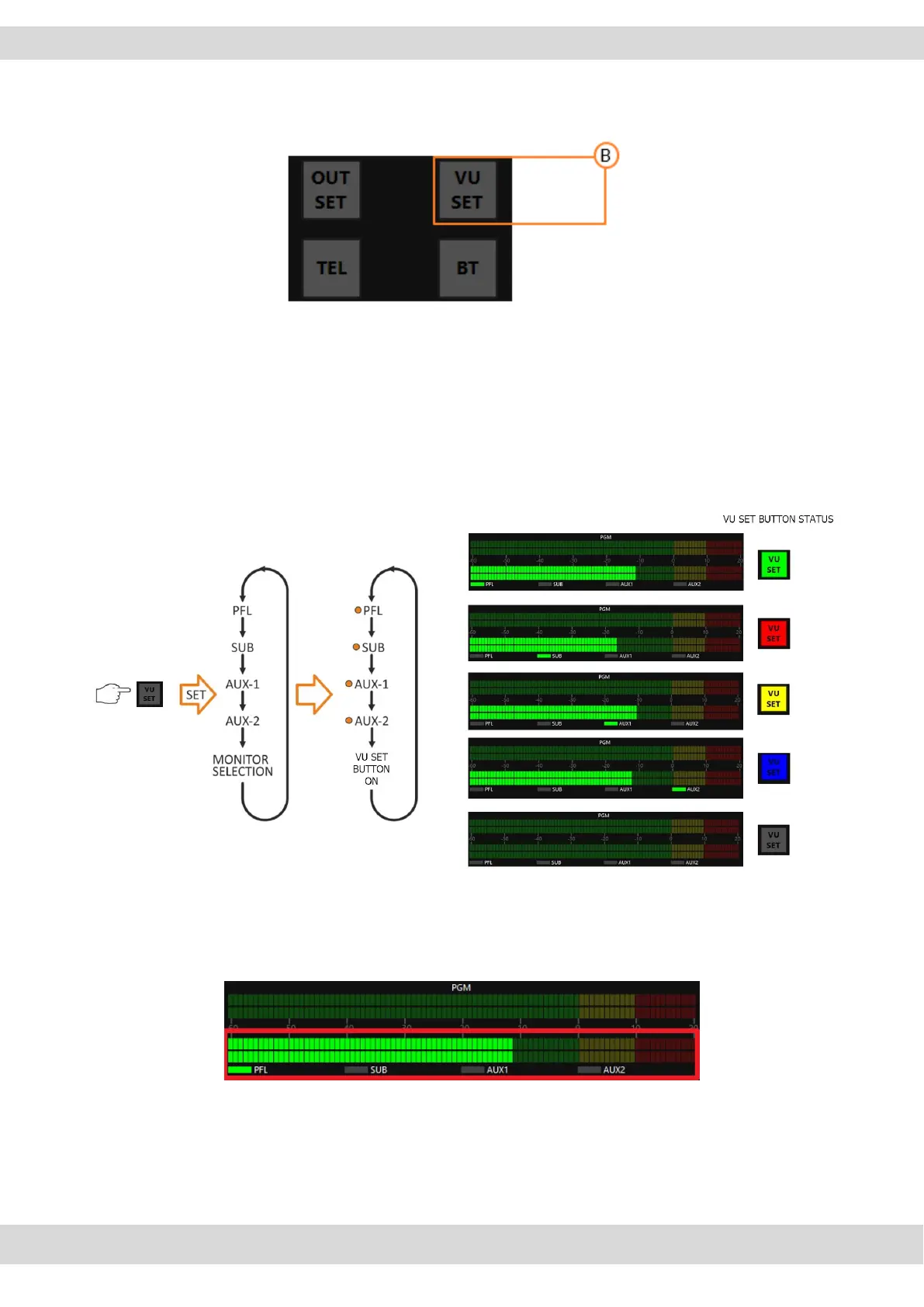
B. VU SET
The VU SET button manages the source displayed in the OXYGEN REMOTER section of the LED
METER screen.
By pressing VU SET, you can select the displayed BUS.
The repeated pressing of the METER button switches the 4 BUS and the MONITOR SELECTION,
sequentially displaying them.
PFL -> SUB -> AUX-1 -> AUX-2 -> MONITOR SELECTION -> PFL -> SUB
If one of the four LEDs is on (PFL/SUB/AUX-1/AUX-2) the selected BUS is forcibly displayed.



 To Next Page