OXYGEN 1000 & OXYGEN 2000 · User Manual · ENG
OXYGEN REMOTER - SETTINGS |SPECIAL OXYGEN REMOTER FUNCTION BUTTONS
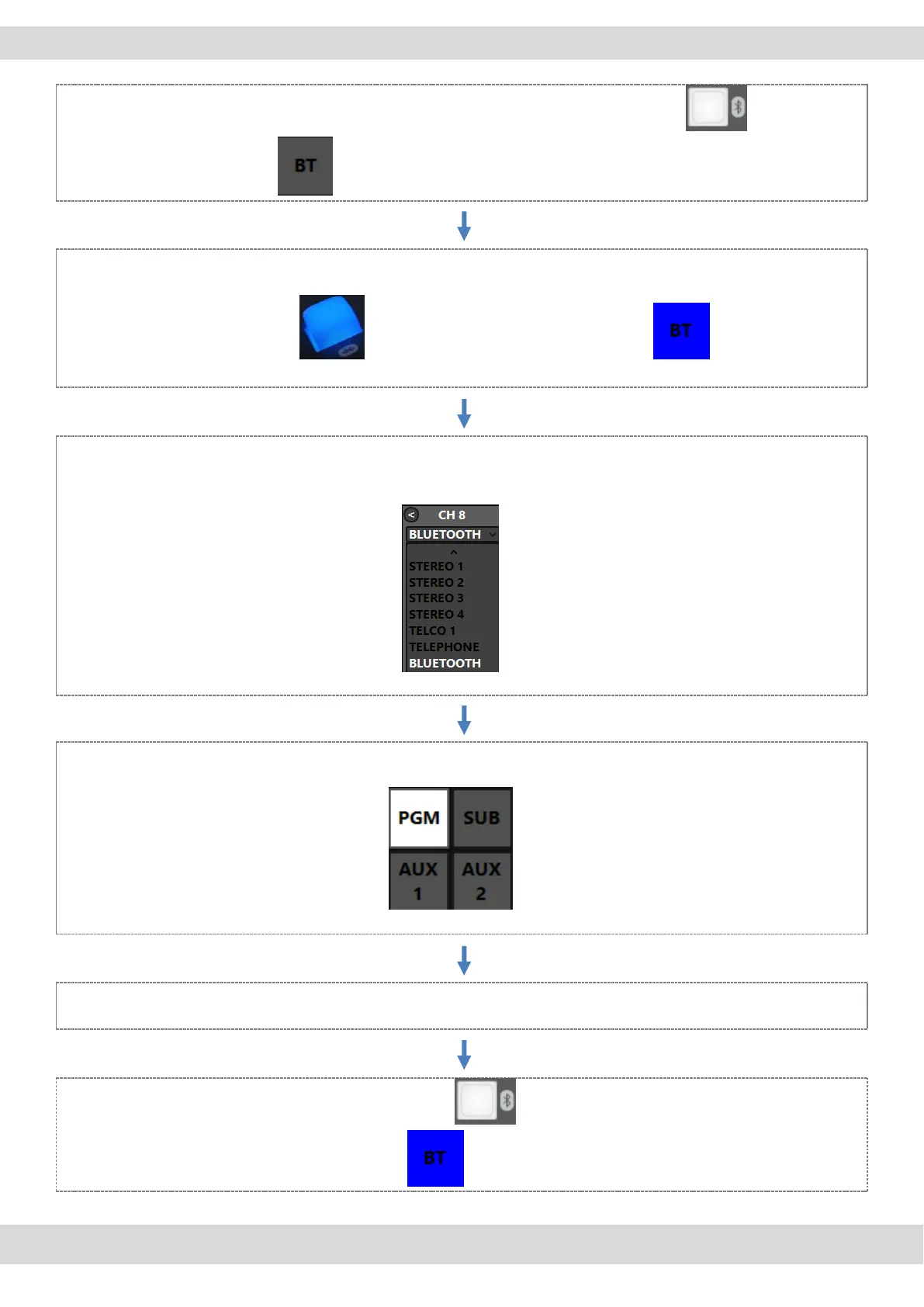
The device is in pairing mode after a fast press (< 1 sec) of the Bluetooth button or after a
fast pressure of the button on Oxygen Remoter. It starts to blink in blue color.
search for the Oxygen 1000D-XXXX (in case of an Oxygen 1000) or Oxygen 2000D-XXXX (in case of an
Oxygen 2000) in Bluetooth device and connect with it. Once the device is connected the blue light
stops blinking . On the Oxygen Remoter you will see
On the Oxygen Remoter, from the desired channel, in the drop-down source menu search for
Bluetooth (for example for Channel 8).
Press the desired BUS on the channel (in example PGM)
start the audio streaming (music, audio from YouTube/Music Player) or the phone call (Call, Skype,
WhatsApp,) from the Bluetooth device.
With a long press of the console Bluetooth button or with a simple pressure on the Oxygen
Remoter Bluetooth button you will disconnect the device.



 To Next Page