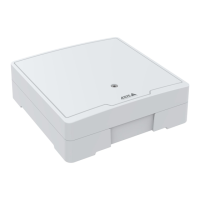
AXISA1601NetworkDoorController
Systemconfiguration
•Reader:Feedback–Verifythereaderfeedback,forexamplesoundsandLEDsignals,fordifferentcommands.Selectthe
commandandclickTest.Whichtypesoffeedbackthatareavailabledependsonthereader.Formoreinformation,see
Readerfeedbackonpage23.Seealsothemanufacturer’sinstructions.
•Reader:Tampering–Getinformationaboutthelasttamperingattempt.Thersttamperingattemptwillberegistered
whenthereaderisinstalled.ClickGetlasttampering.
•Reader:Cardswipe–Getinformationaboutthelastswipedcardorothertypeofusertokenacceptedbythereader.
ClickGetlastcredential.
•REX–Getinformationaboutthelasttimetherequesttoexit(REX)devicewaspressed.ClickGetlastREX.
VericationControlsFloors
•Floorstate–Verifythecurrentstateoftheooraccess.ClickGetcurrentstate.
•Floorlock&unlock–Manuallytriggertheooraccess.Bothprimarylocksandsecondarylocksifthereareanywill
beaffected.ClickLockorUnlock.
•Flooraccess–Manuallygranttemporaryaccesstotheoor.Onlyprimarylockswillbeaffected.ClickAccess.
•ElevatorReader:Feedback–Verifythereaderfeedback,forexamplesoundsandLEDsignals,fordifferentcommands.
SelectthecommandandclickTest.Whichtypesoffeedbackthatareavailabledependsonthereader.Formore
information,seeReaderfeedbackonpage23.Seealsothemanufacturer’sinstructions.
•ElevatorReader:Tampering–Getinformationaboutthelasttamperingattempt.Thersttamperingattemptwillbe
registeredwhenthereaderisinstalled.ClickGetlasttampering.
•ElevatorReader:Cardswipe–Getinformationaboutthelastswipedcardorothertypeofusertokenacceptedbythe
reader.ClickGetlastcredential.
•REX–Getinformationaboutthelasttimetherequesttoexit(REX)devicewaspressed.ClickGetlastREX.
Congurecardsandformats
Thedoorcontrollerhasafewpredenedcommonlyusedcardformatsthatyoucanuseastheyareormodifyasrequired.Youcan
alsocreatecustomcardformats.Eachcardformathasadifferentsetofrules,eldmaps,forhowtheinformationstoredonthecard
isorganized.Bydeningacardformatyoutellthesystemhowtointerprettheinformationthatthecontrollergetsfromthereader.
Forinformationaboutwhichcardformatsthereadersupports,seethemanufacturer’sinstructions.
Toenablecardformats:
1.GotoSetup>Congurecardsandformats.
2.Selectoneormorecardformatsthatmatchthecardformatusedbytheconnectedreaders.
Tocreatenewcardformats:
1.GotoSetup>Congurecardsandformats.
2.ClickAddcardformat.
3.IntheAddcardformatdialog,enteraname,adescription,andthebitlengthofthecardformat.SeeCardformat
descriptionsonpage18.
4.ClickAddeldmapandentertherequiredinformationintheelds.SeeFieldmapsonpage18.
5.Toaddmultipleeldmaps,repeatthepreviousstep.
ToexpandanitemintheCardformatslistandviewthecardformatdescriptionsandeldmaps,click
.
Toeditacardformat,click
andchangethecardformatdescriptionsandeldmapsasrequired.ThenclickSave.
17



 To Next Page