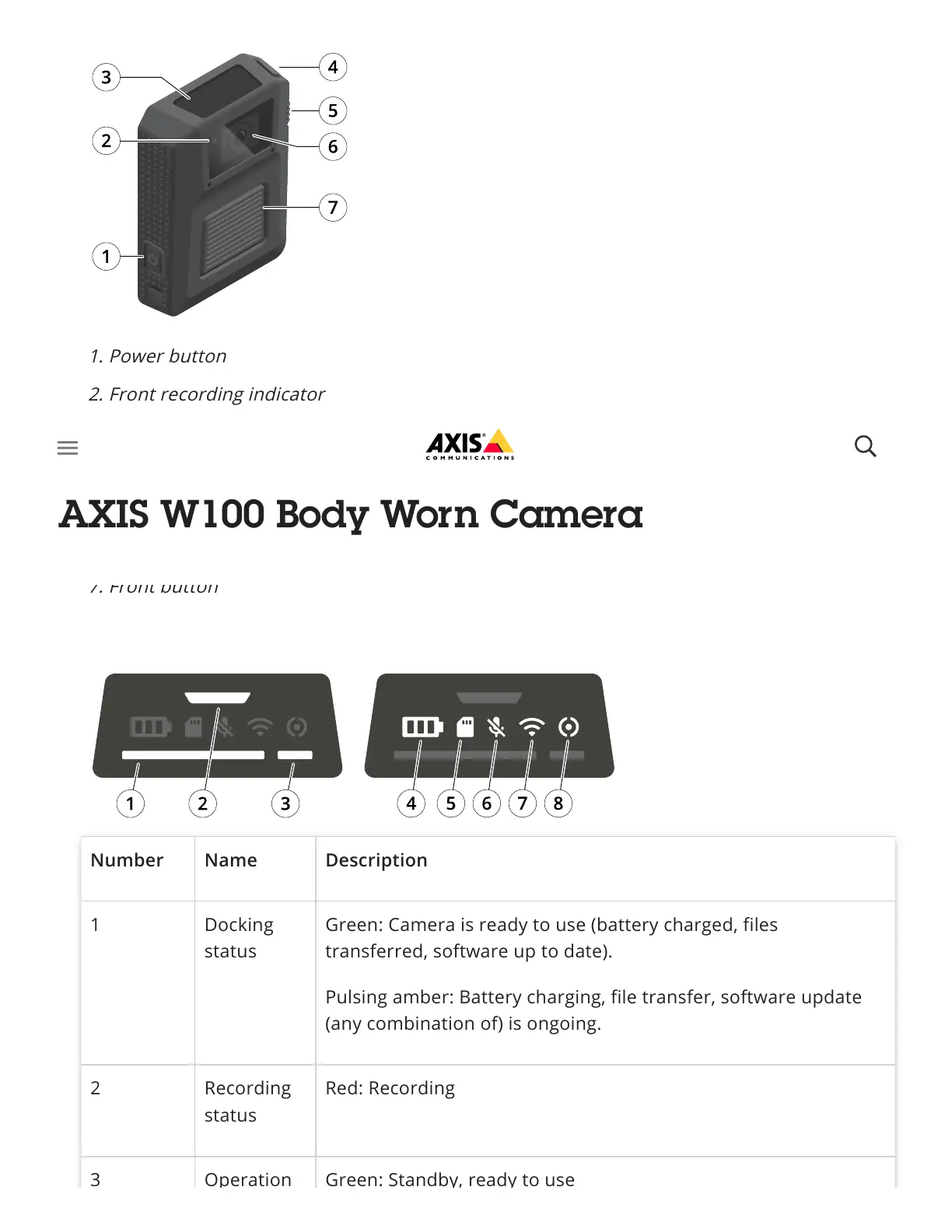
1. Power button
2. Front recording indicator
3. Display
4. Top button
5. Function button
6. Camera lens
7. Front button
Number Name Description
1 Docking
status
Green: Camera is ready to use (battery charged, files
transferred, software up to date).
Pulsing amber: Battery charging, file transfer, software update
(any combination of) is ongoing.
2 Recording
status
Red: Recording
3 Operation Green: Standby, ready to use



 To Next Page