Design and Construction
© b2 electronic GmbH DHV0086 Rev06 29
4�3�3 Language and Region
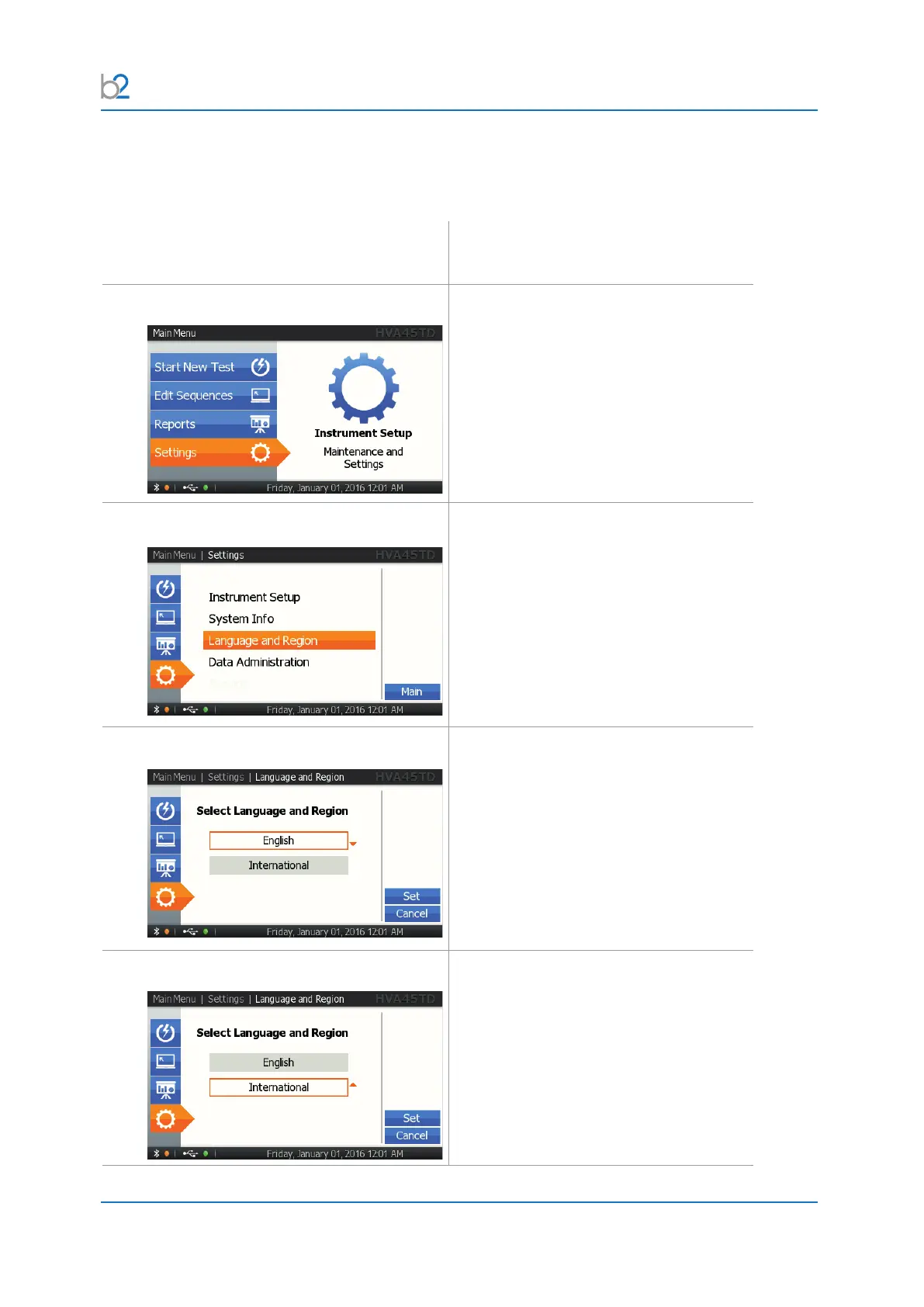
Steps L1-L4 describe how to set language and region.
Step Procedure
(Language and region)
L1: Settings
Select “Settings”
L2: Language and Region
Select “Language and Region”.
L3: Language
Choose language.
Selectfromdierentoptionsdependingon
thermwareversion.
L4: Region
Choose region:
Selectfromdierentoptionsdependingon
thermwareversion.
Based on the region setting, the unit
selects the corresponding date/time
format and other localized information.
The language and region can be set
independently.



 To Next Page