Design and Construction
© b2 electronic GmbHDHV0086 Rev0630
4�3�4 Sequence and Report Management
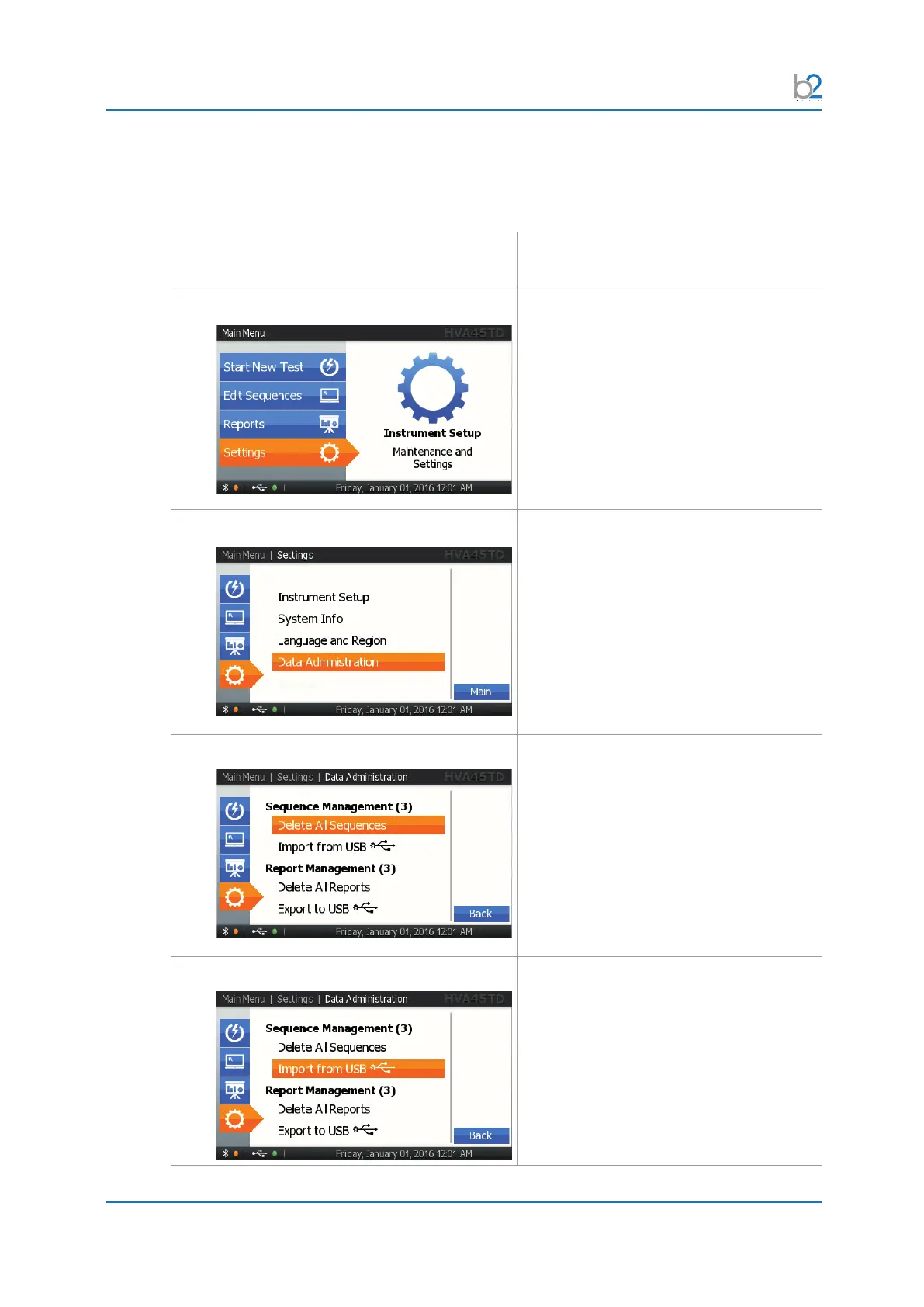
Steps SRM1–SRM6 describe how to manage Sequences and Reports.
Step Procedure
(Sequences and reports)
SRM1: Settings
Select “Settings”.
SRM2: Data Administration
Select “Data Administration”.
SRM3: Delete All Sequences
To delete all sequences, select “Delete all
Sequences”.
SRM4: Import from USB
ToimportsequencesfromaUSBash
drive, select “Import from USB”.
Refer to the PC software user manual for
furtherinformationaboutleformats.



 To Next Page