Test Procedure
© b2 electronic GmbH DHV0086 Rev06 47
Step Procedure (Set manual test parameters)
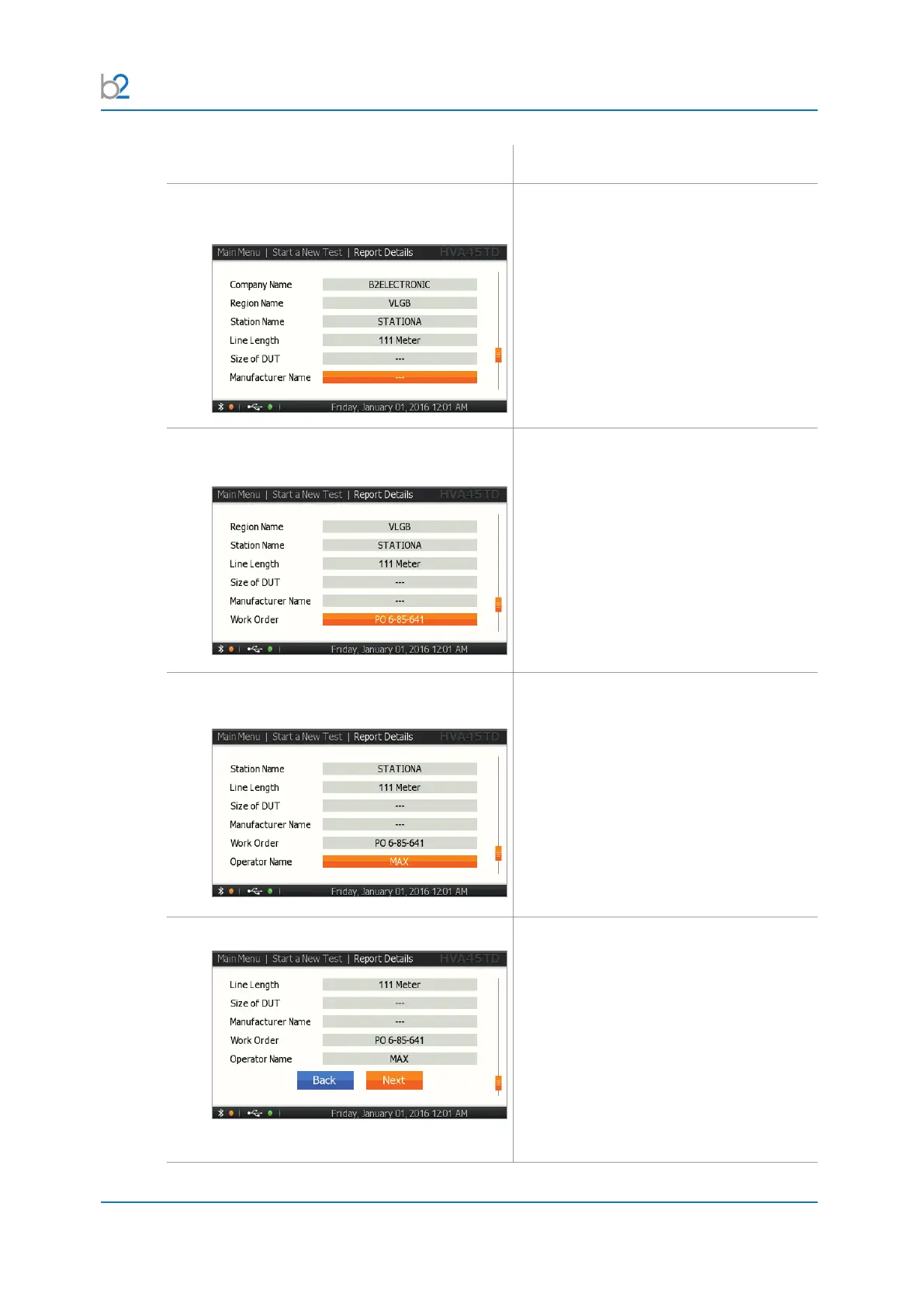
RS3�2�11: Report Details - Ext
Manufacturer Name
For instructions on how to edit the
manufacturer name, see 7.3 Report
Naming Instructions on page 88
RS3�2�12: Report Details - Extended
Work Order For instructions on how to edit the work
order, see 7.2 Report Activation on page
87
RS3�2�13: Report Details - Extended
Operator Name
For instructions on how to edit the operator
name, see 7.2 Report Activation on page
87
RS3�2�14: Finish
Set report details:
By pressing “Next”, you will store the
report details in the non-volatile memory.
They will be used as default values for the
next test.



 To Next Page