Test Procedure
© b2 electronic GmbHDHV0086 Rev0648
5�2�2 Manual Test Parameters
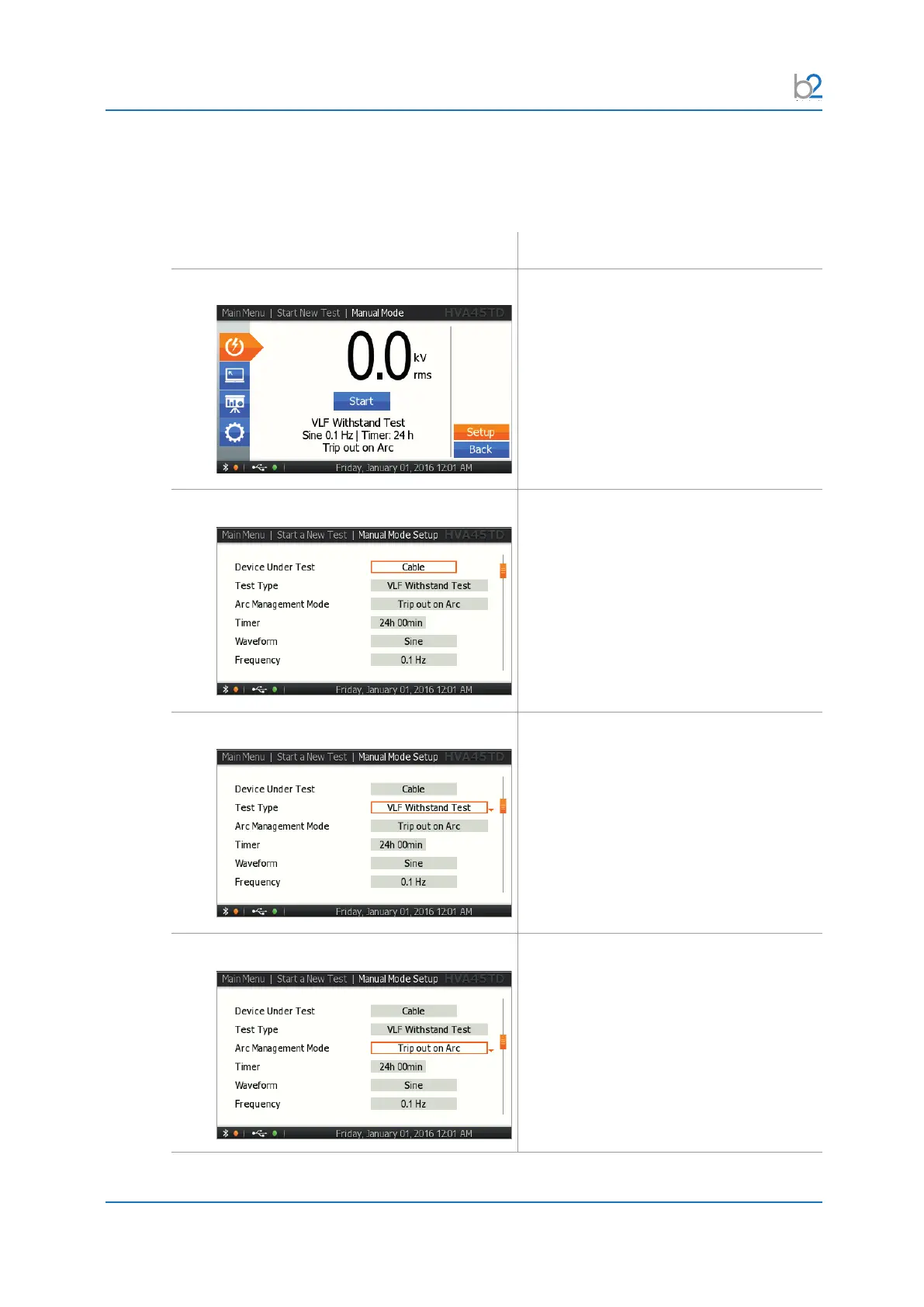
Steps MS1-MS10 describe how to set manual test parameters.
Step Procedure (Manual test parameters)
MS1: Setup
To set the waveform, frequency, or test
duration, select “Setup” in the menu.
These settings will be remembered for the
next test.
MS2: DUT Setup
Select DUT:
Select the corresponding Device Under
Test.
MS3: SETUP Test Type
Select one of the following output modes:
• VLF withstand test
• VLF Tan Delta test
• DC test
• Sheath test
• Sheath fault location
• Vacuum bottle
MS4: SETUP Arc Management Mode
Select one of the following:
• Trip out on arc
• Burn on arc
If you have selected “Burn on Arc”, make
sure that the appropriate dwell time is
selected.



 To Next Page