13
5.2 Setting Preparation
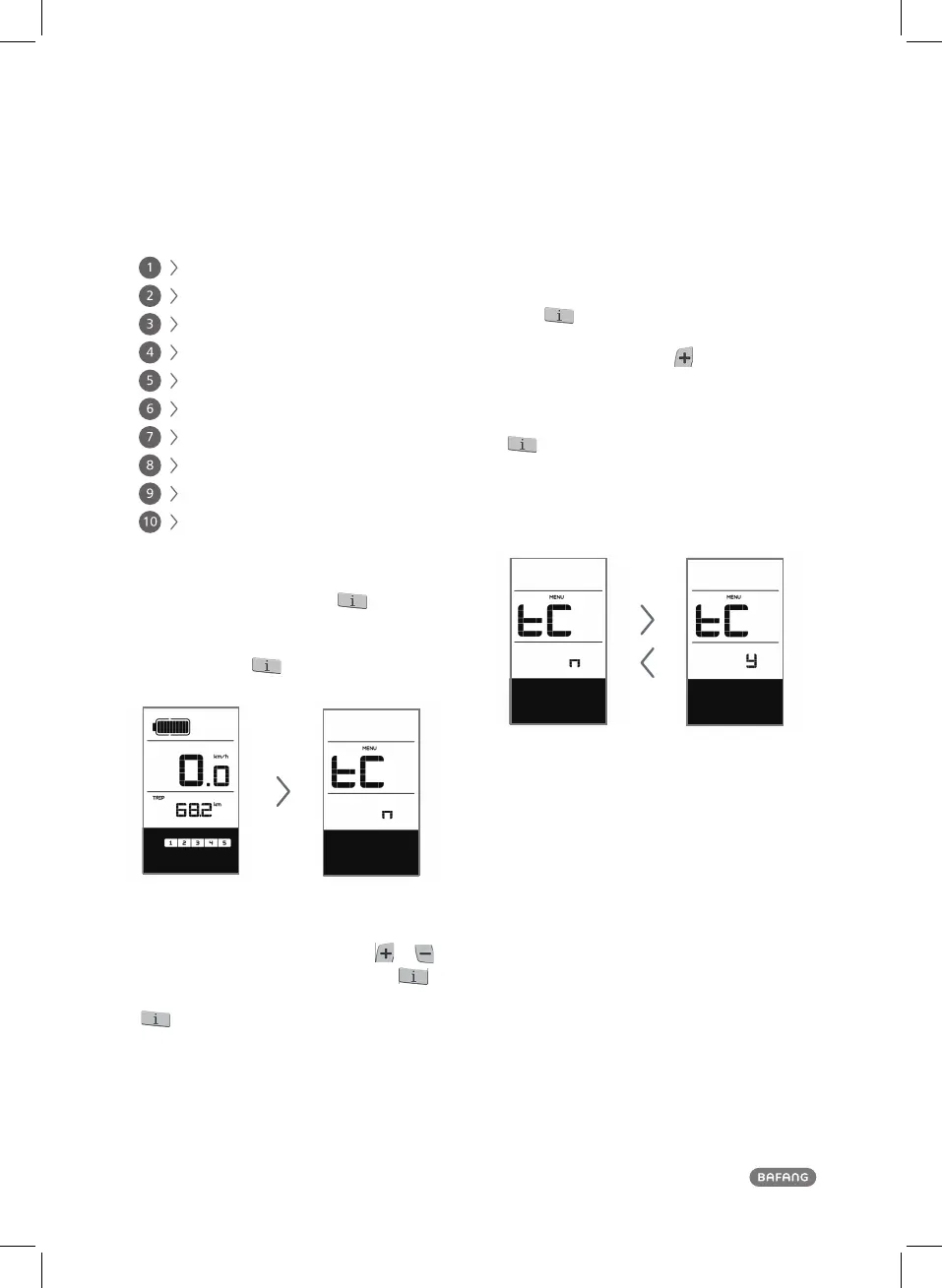
When the display is active, press twice (interval
< 0.3 seconds). The system will enter the MENU pa-
rameter setting state, in which the display parameters
can be set. Press
twice again (interval < 0.3
seconds) to return to the main menu.
Menu for entering the parameter settings
In the parameter setting state, when the parameter
you want to set begins to flash, press
/
to adjust the parameter value. Briefly press
to switch between the parameters to be set. Press
twice (interval < 0.3 seconds) to exit the
If no operation is performed for 10 seconds, the display
will return to the normal riding display.
USER MANUAL DP C10.UART
submenu.
5.3 Data Reset
Press
twice (interval < 0.3 seconds) – the
display enters the MENU state. In the speed field
tC is displayed. If you press
, a y is also dis-
played. Now all temporary data, e.g. maximum
speed (MAXS), average speed (AVG) and single-
trip distance (RIP) can be cleared. Briefly press
(< 0.3 seconds) to enter the km/mile setting
If the user does not reset the data, the single trip
distance and the accumulated total riding time will
be automatically cleared when the accumulated t-
otal riding time exceeds 99 hours and 59 minutes.
The data will not be cleared when the dis-
play’s light-sensing function is set to 0 or
when it is switched off.
interface.
5 Advanced User
5.1 Items to be Set:
Data reset
km/mile
Light sensitivity
Display backlight brightness
Automatic off time
Maintenance warning settings
Wheel size indication
Speed limit indication
Battery communication indication
Error code record indication













 To Next Page