13
DISPLAY DP C11.CAN
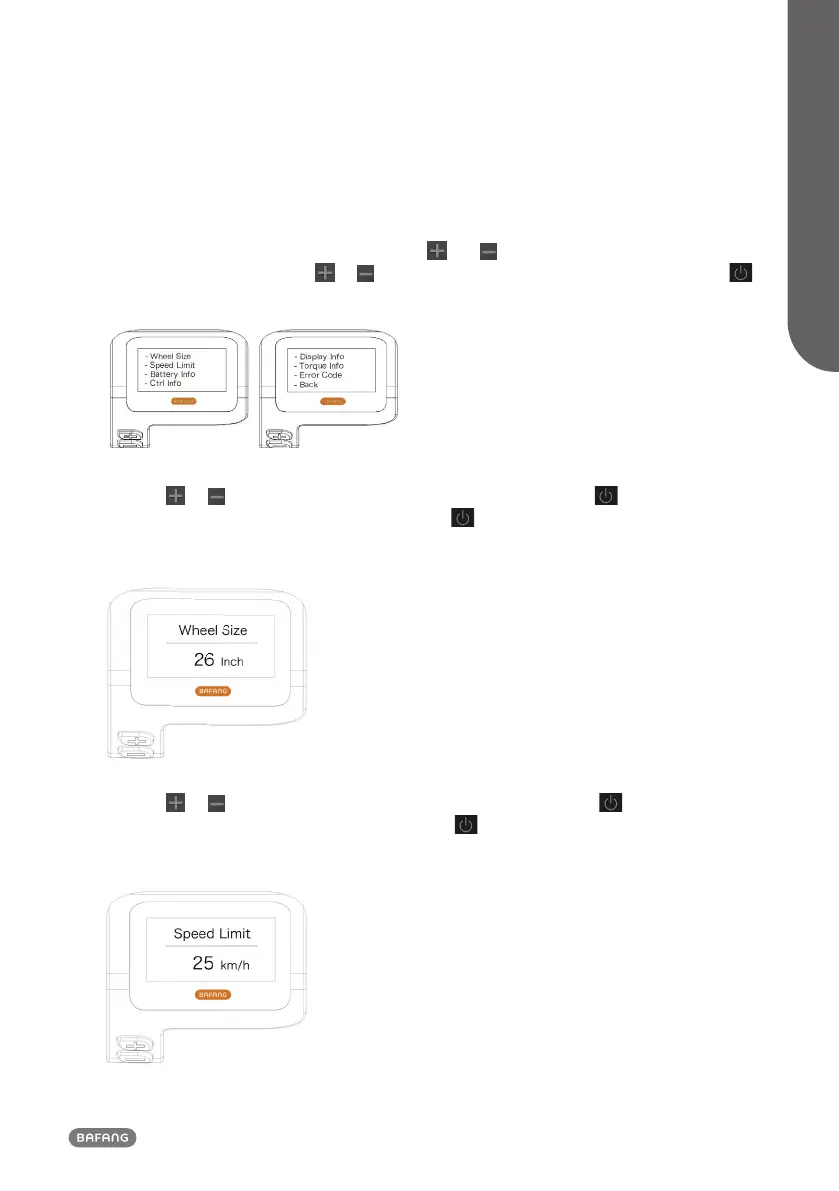
1.7.2 "Information"
Once the display is turned on, press and hold the
and buttons (at the same time) to enter
into the setting menu, press the or button (<0.5S) to select “Information”, then press the
button (<0.5S) to confirm and enter into "Information".
1.7.2.1 Wheel Size
Press the or button (<0.5S) to highlight “Wheel Size”, then press the button (<0.5S) to
confirm and view the wheel size. To return, press the button (<0.5S) to exit back to the "Informa-
tion".
This information cannot be changed, this is only for information, about the pedelec.
1.7.2.2 Speed Limit
Press the or button (<0.5S) to highlight “Speed Limit”, then press the button (<0.5S) to
confirm and view the speed limit. To return, press the button (<0.5S) to exit back to the "Infor-
mation".
This information cannot be changed, this is only for information, about the pedelec.



 To Next Page