26
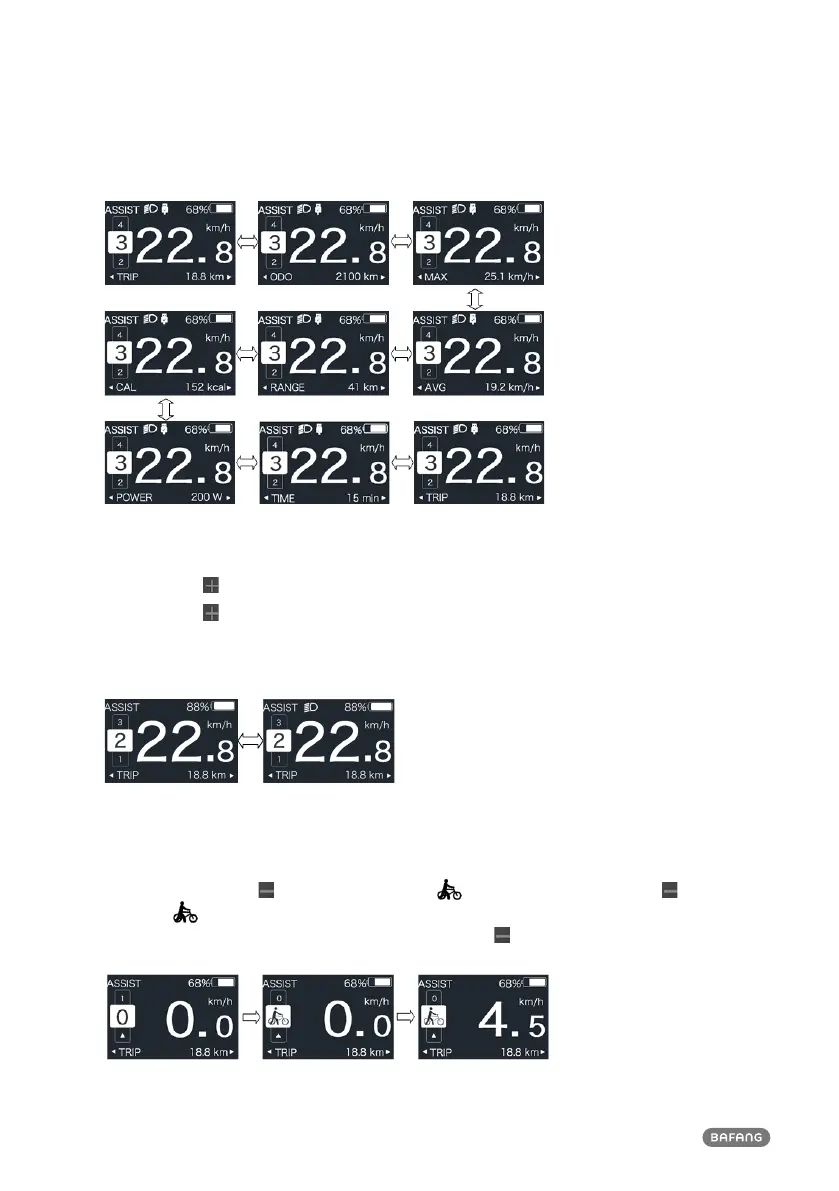
2.6.4 Headlights / backlighting
Press and hold (>2S) to turn on the backlight as well as headlight.
Press and hold
(>2S) again to turn off the backlight and the headlight. The brightness of backlight
can be set in function“Brightness”. (If the display is turned on in a dark environment, the display
backlight/ headlight will be turned on automatically. If the display backlight/headlight are turned off
manually, they also need to be turned on manually afterwards)
2.6.5 Walk Assistance
The Walk assistance can only be activated with a standing pedelec.
Activation: briefly press
button until this symbol appears. Next hold down the button
whilst the
symbol is displayed. Now the Walk assistance will activate. The symbol will flashes
and the pedelec moves approx. 6 km/h. After releasing the button the motor stops automatically
and if no any operations within 5s will automatically return to 0 level (as following).



 To Next Page