15
DISPLAY DP C11.CAN
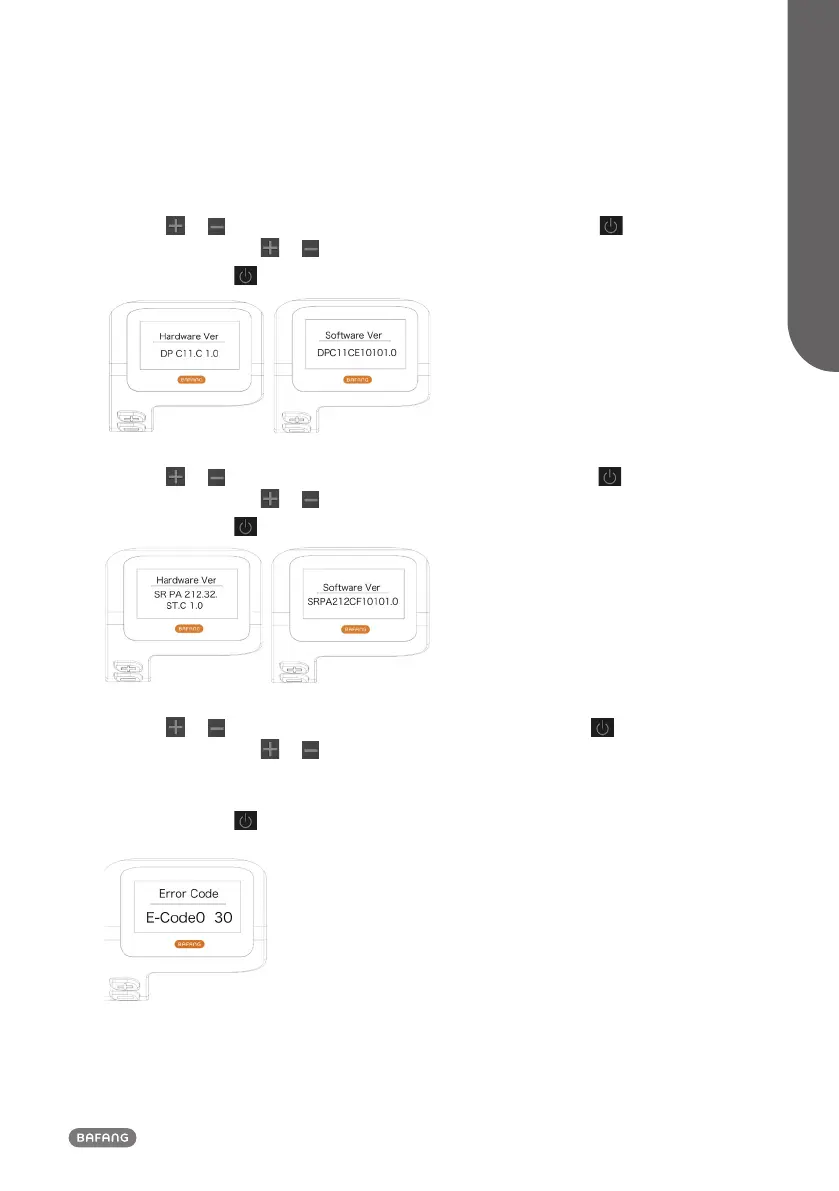
1.7.2.5 Display Information
Press the or button (<0.5S) to highlight “Display Info”, then press the button (<0.5S) to
confirm. Now press the or button (<0.5S) to view Hardware Version or Software Version.
To return, press the
button (<0.5S) to exit back to the "Information".
1.7.2.6 Torque Information
Press the or button (<0.5S) to highlight “Torque Info”, then press the button (<0.5S) to
confirm. Now press the or button (<0.5S) to view Hardware Version or Software Version.
To return, press the
button (<0.5S) to exit back to the "Information".
1.7.2.7 Error Code
Press the or button (<0.5S) to highlight “Error code”, then press the button (<0.5S) to
confirm. Now press the or button (<0.5S) to view a list of error codes from the pedelec. It can
show information for the last ten errors of the pedelec. The error code "00"means that there is no
error.
To return, press the
button (<0.5S) to exit back to the "Information".



 To Next Page