31
DISPLAY DP C240.CAN
Code Code Definition Unit
b11 Cycle Times times
b12 Max Uncharge Time Hour
b13 Last Uncharge Time Hour
d00 The number of cell
d01 Voltage Cell 1 mV
d02 Voltage Cell 2 mV
dn Voltage Cell n mV
Hardware Ver
Battery Hardware
Version
Software Ver
Battery Software
Version
NOTE: If no data is detected, "--" will be displayed.
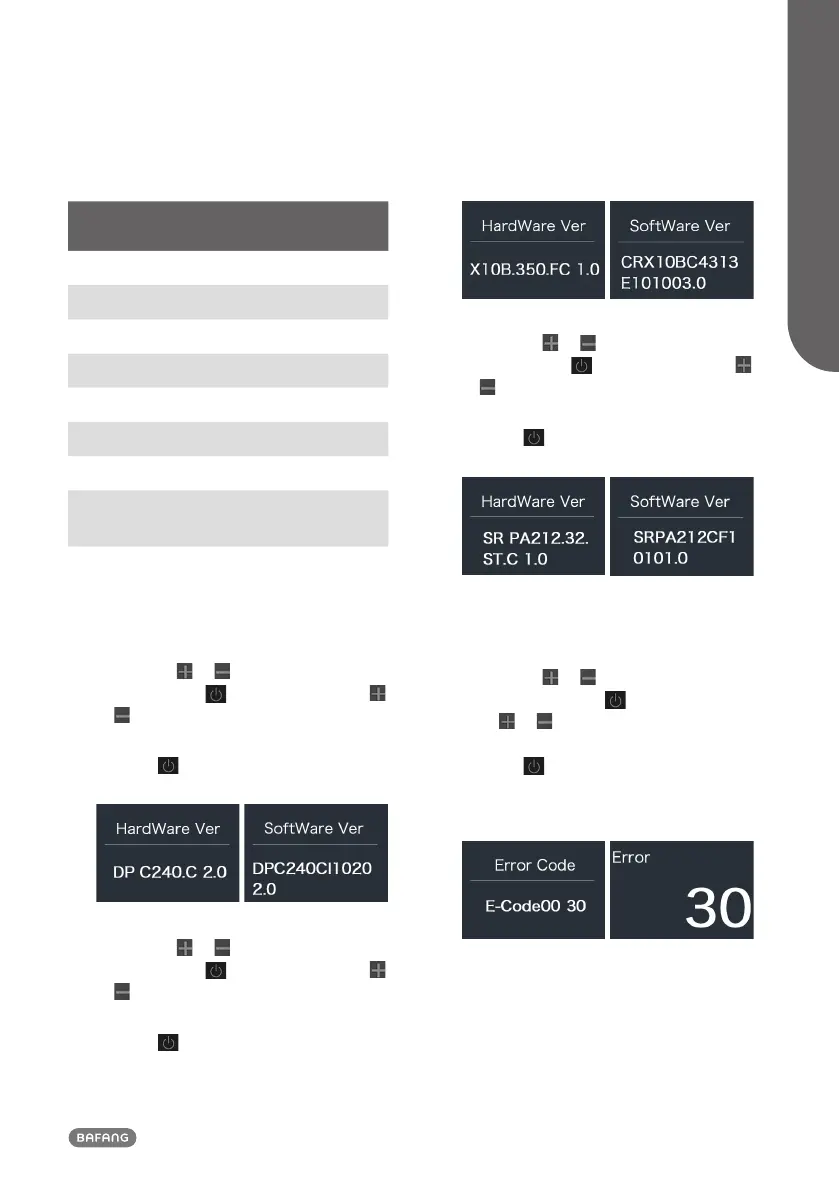
2.7.2.4 “Display Info”
Briefly press or to select ”Display Info”,
and briefly press to enter, briefly press
or to view“Hardware Ver” or “Software
Ver”.
Press the
button (<0.5S) to exit back to
the "Information" interface.
2.7.2.5 “Ctrl Info”
Briefly press or to select ”Ctrl Info”,
and briefly press to enter, briefly press
or to view“Hardware Ver” or “Software
Ver”.
Press the
button (<0.5S) to exit back to
the "Information" interface.
2.7.2.6 “Torque Info”
Briefly press or to select ”Torque Info”,
and briefly press to enter, briefly press
or to view“Hardware Ver” or “Software
Ver”.
Press the
button (<0.5S) to exit back to
the "Information" interface.
NOTE: If your Pedelec doesn't have torque sensor,
"--" will be displayed.
2.7.2.7 “Error Code”
Briefly press or to select ”Error Code”,
and then briefly press to enter, briefly
press or to view message of error for
last ten times by “E-Code00” to “E-Code09”.
Press the button (<0.5S) to exit back to
the "Information" interface.
NOTE: 00 means no error exist.



 To Next Page