17. “ ” button
18. “ SET ” button
19. “▲/ CH ” button
22. “ ALERTS ” button
23. “ MEM ” button
21. “ ” button
24. Stand bracket
25. Hang ing hole
26. Battery compartment
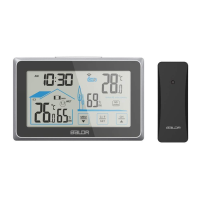
5. Current time
6. Indoor temperature and humidity
7. Outdoor temperature and humidity
8. Max/min record of indoor temperature and humidity
9. Max/min record of outdoor temperature and humidity
10. Low battery indication
11. High/ low temperature warning
12. Indoor comfort level indication
13. Channel indication
14. Channel scan
15. Frost-point warning
16. Barometric pressure
12/24 hour format selectable
Barometer display in
mmHg, inHg or hPa mb
with max/min record
Enter into time setting
Switch C/F, Clear sensors
data and re-registration or
increase the data
Check or enter into
alarm setting
RCC function or decrease
the data
Check or clear Max/min
record
Check or enter into
temperature alerts setting
20. “▼/RCC ” button
3














 To Next Page