Bandit
22
Copyright 12/17
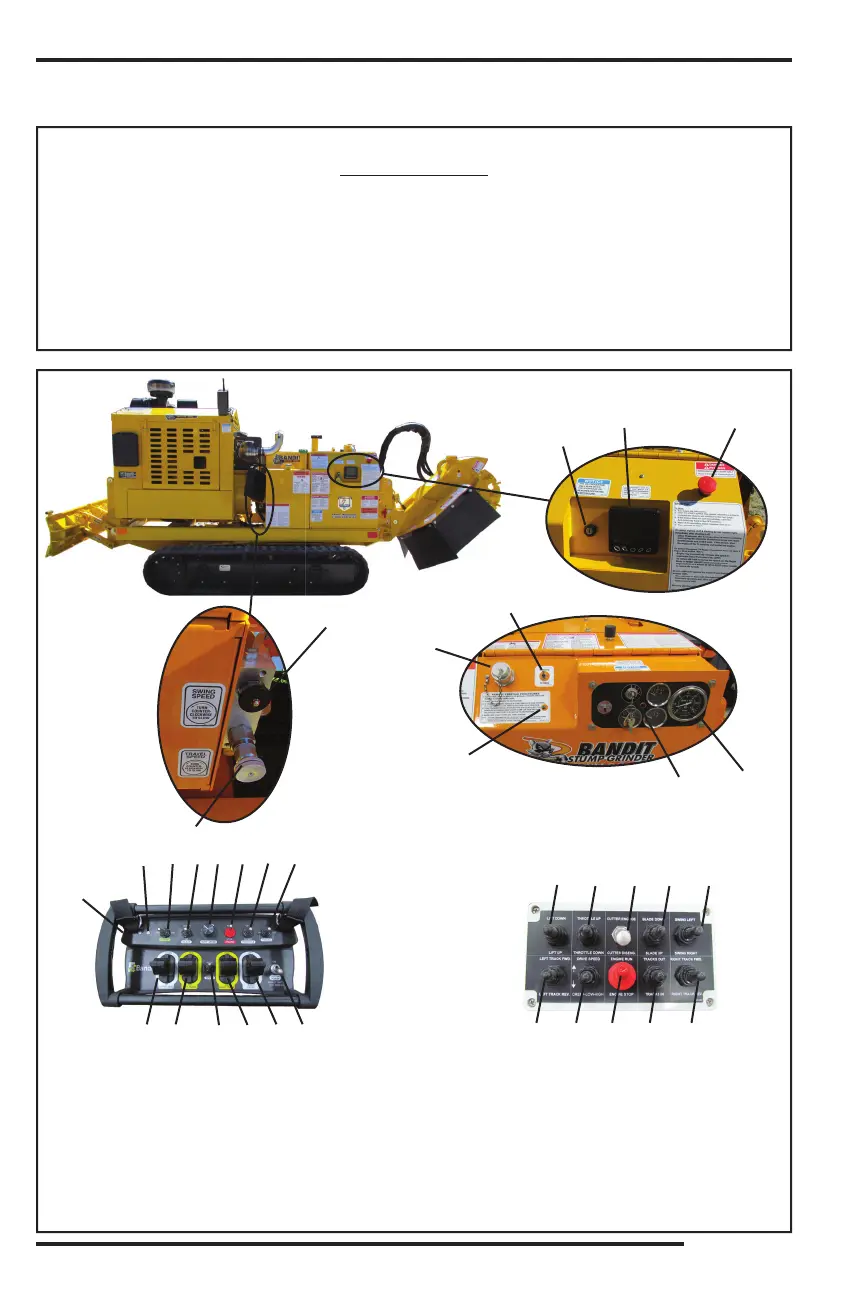
MODELS 2890SP/2900T CONTROLS
CONTROLS - REMOTE
LOCATION SHOWN
1. Travel Speed Control
2. Swing Speed Control
3. Link Light
4. Tether Plug Jack
5. Remote / Tether Switch
6. Ignition Switch
7. Tach / Hour Meter
8. Charging Port
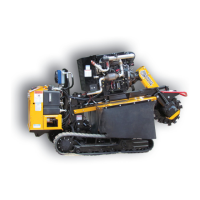
Basic Location of Controls and Components
17. Left Track
18. Drive Speed
19. Right Track
20. Swing Left / Right
21.
22. Display
23. E-Stop
9. Status Light
10.
11. Blade Down / Up
12. Cutter Bump Adjustment
13. Engine Stop
14. Throttle Up / Down Switch
15. Tracks In / Out
16. Cutter Down / Up
REMOTE STARTING PROCEDURES
1: PUT TETHER / REMOTE SWITCH OR MANUAL / REMOTE SWITCH IN REMOTE POSITION ON MACHINE.
2: TURN IGNITION SWITCH TO ON POSITION.
3: IF TRANSMITTER HAS TOGGLE E-STOP, SWITCH TO RUN POSITION.
4: TURN TRANSMITTER ON: (PUSH BUTTON STYLE) HOLD BUTTON DOWN UNTIL GREEN & RED LIGHTS COME ON THEN
RELEASE OR ( TOGGLE SWITCH STYLE) SWITCH TO ON POSITION.
5: WHEN LINK LIGHT TURNS ON, START ENGINE.
NOTE: TO TURN TRANSMITTER OFF: (PUSH BUTTON STYLE) HOLD BUTTON DOWN UNTIL GREEN & RED LIGHTS
ALTERNATE AND GO OUT OR (TOGGLE SWITCH STYLE) SWITCH TO OFF POSITION.
4
3
5
6
7
Tether Control
1318
14 2116
2011
17 15 19
Remote Transmitter
8
9 10 11 12 13 14
2120
16
15
17 1918
6
22 23
2
1


 To Next Page