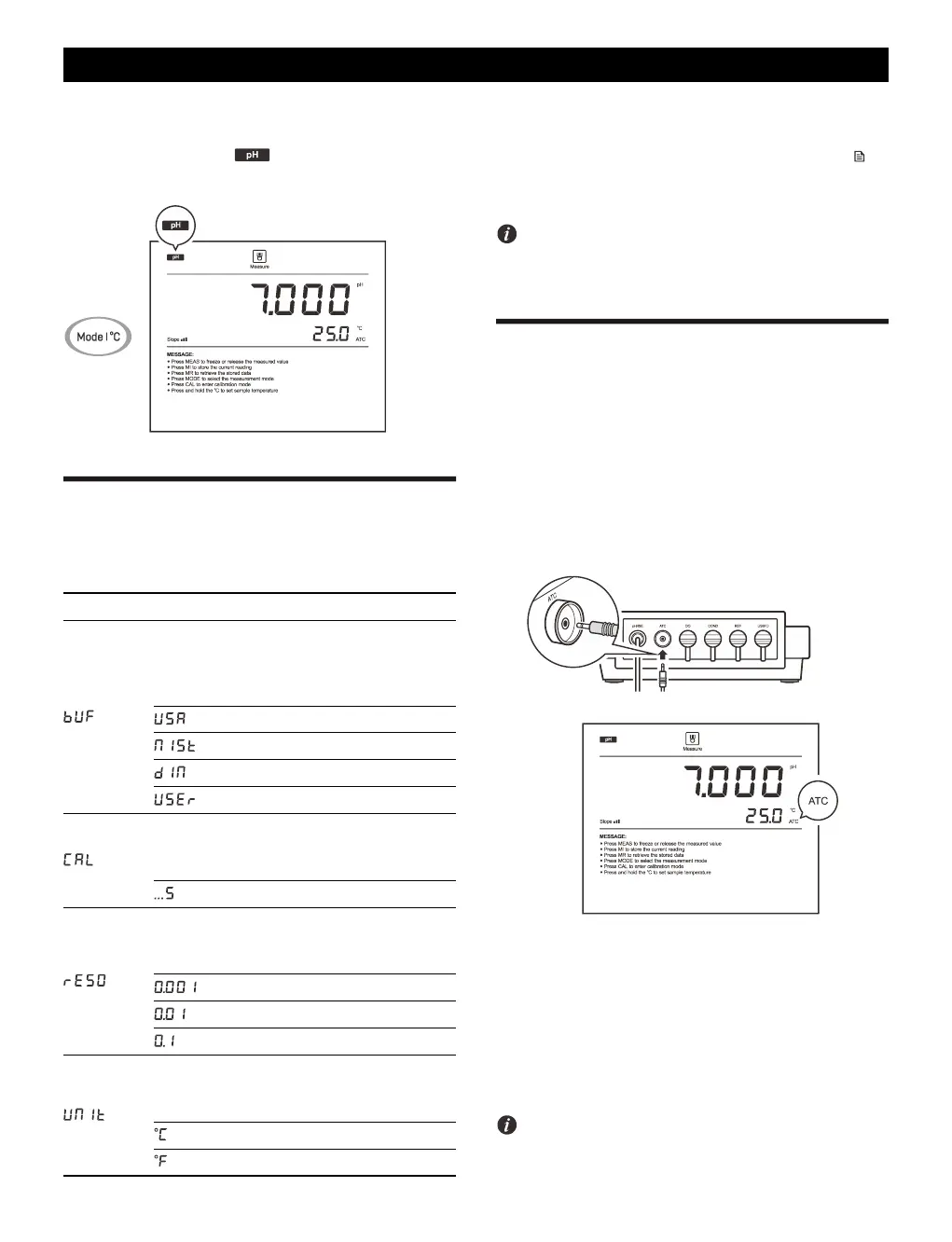
Selecting the Measurement Mode
Press the Mode key until the icon appears on the display, the
meter enters the pH measurement mode.
pH Settings
The meter contains 4 pH settings and 7 general settings in the setup
menu.
If you want to change the current settings, press and hold the key
to enter the setup menu. Press the / key to select an option and
press the Enter key to confirm.
Refer to the Setting a Default Option section for detailed
instructions on page 7.
Temperature Compensation
For better accuracy, we recommend the use of either a sensor with a
built-in or a separate temperature probe. The meter will calculate the
pH slope with measured temperature and show the temperature
compensated readings.
Automatic Temperature Compensation
Connect the temperature probe to meter, the ATC icon appears on the
display, the meter is now switched to the automatic temperature
compensation mode.
Manual Temperature Compensation
If the meter does not detect a temperature probe, the degrees Celsius
icon (°C) will show on the display indicating the meter is switched to
the manual temperature compensation mode. To set the temperature
value follow the steps below.
1. Press and hold the °C key to enter the temperature setting.
2. Press the / key to modify the temperature value.
3. Press the Enter key to save.
Press and hold the / key will make the value change faster.



 To Next Page
 Loading...