39 40
Description of settings
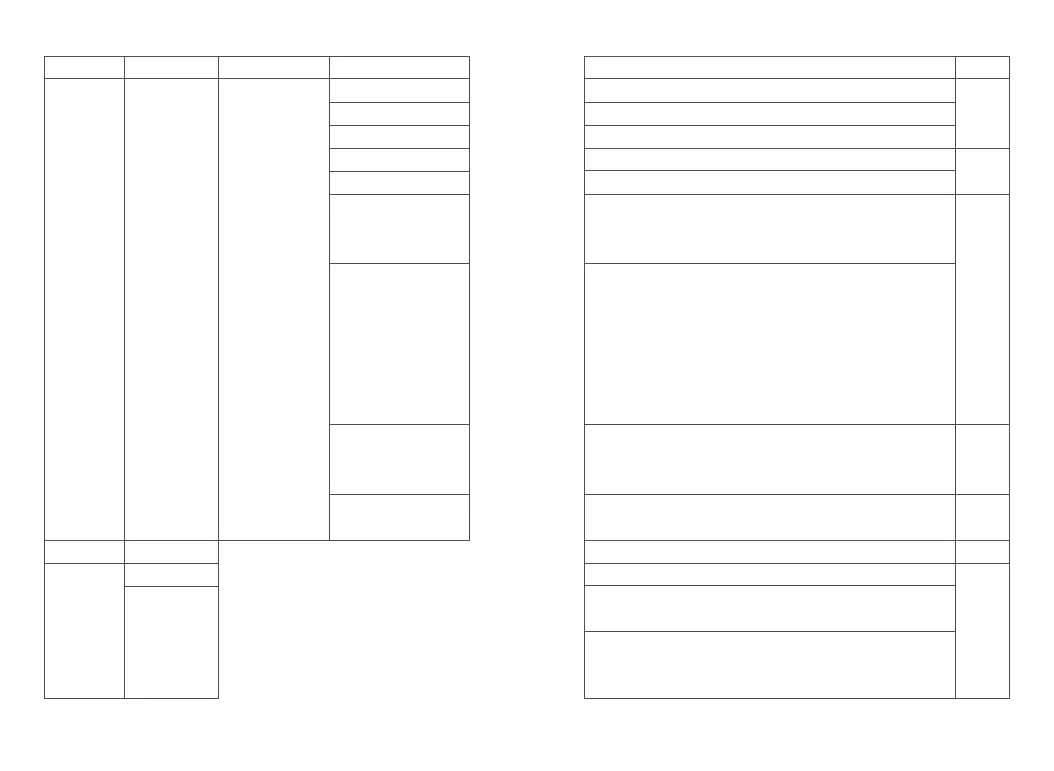
To set reception frequency; press * to clear all, press BACK to delete one
To set transmission frequency; press * to clear all, press BACK to delete one
To set channel name; press * to clear all, press BACK to delete one
Options: 0~15 optional Valid for digital mode only
Options: 1~2 optional Valid for digital mode only
The difference between transmission frequency and reception frequency
in frequency mode, whether frequency has difference depends on
frequency direction
Options: Off / Positive / Negative
>Off: Transmission frequency and reception frequency have no
difference in frequency mode
>Positive: In frequency mode, the transmission frequency is equal to the
reception frequency plus the difference frequency
>Negative: In frequency mode, the transmission frequency is equal to
the reception frequency minus the difference frequency
Options: 2.5K/5.0K/6.25K/10K/12.5K/25K/50K
In the frequency mode, press []/[]to adjust the frequency value in steps;
scanning steps in frequency mode
Options: Analog / Digital
Switch analog and digital mode in frequency mode
A list of regions that can support up to 150 regions
Switch on/off; scan function can be turned on only when the PC of
current channel has configured the scan list; it also can be turned on
through the function button defined as “scan switch”
Display the current scan list, which is read only
Level 2 menu
Reception Frequency
Transmission Frequency
Channel Name
Color Code
Slot
Shift Frequency
Shift Direction
Frequency Step
Channel Type
Level 1 menu Level 3 menu Options
Set Radio
configuration
Radio info
For digital
mode
only
The
Soft-
ware
menu
options
are
config-
urable
Remark
Zone Name
On
Scan List
Zone
Scan














 To Next Page